
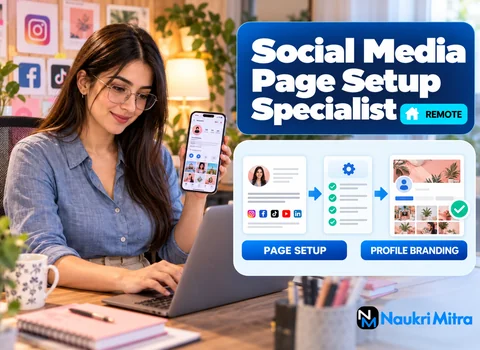
Below is a typical launch checklist for a new small business; working through lists like this, one client at a time, is what online social media page setup specialist jobs come down to:
The bold item is the one people forget. A bakery owner signs up with a personal phone, the phone breaks, and nobody can get into the Page. A backup admin takes two minutes to add.
The gig is part-time and remote, and your home country makes no difference. You take one business that has no online presence (or a messy one) and, within a single engagement, give it a clean, complete set of profiles. Then you hand everything back. You are not posting content each week, running ads or chasing follower counts. That ongoing work belongs to a social media manager, and it is a different job with a different rhythm. Your work has a clear finish line: the owner logs in, everything looks right, and they hold the keys.
Start with a short intake form: business name, one-line description, hours, service area, website and logo files. For access, ask the owner to create accounts with their own business email, or to invite you as an admin or partner. Never ask a client to paste their main password into a chat. If they insist on sharing a login, suggest a password manager share or a temporary password they change the moment you finish.
Inside Meta Business Suite you would generally create or confirm the Facebook Page, set up a Business Portfolio that holds the business's assets, and assign people with the right roles. Menus move around, so check Meta's help pages on the day. The point is structure: the business owns the assets, and people are given access to them.
Switch the Instagram account to a professional (business or creator) profile, choose a category, add contact details and connect it to the Facebook Page and portfolio. Test that messages and contact buttons actually work by sending a test DM from a spare account.
Create the LinkedIn company page from the owner's personal LinkedIn profile, or have them add you as a page admin. Fill in industry, size, website and a tagline. On YouTube, set up a brand channel, add the description, links, banner and channel handle, and check the default upload settings so the first video is not accidentally set to the wrong audience.
A bio should tell a stranger in one glance what the business sells, to whom, and where. "Mobile dog grooming in North Leeds, vans 7 days a week, book below" beats "Passionate about pets." Write keyword-rich bios that a customer would actually search for, adjust length per platform, and keep the wording consistent so the business is recognisable everywhere.
Build a profile image that still reads at thumbnail size (usually the logo on a plain background) and cover images for Facebook, LinkedIn and YouTube. Look up the current recommended dimensions in each platform's help centre before exporting. Then set up a Linktree page with the booking link, website, phone and the main profiles, and place that link in each bio.
Turn on two-factor authentication with an authenticator app where you can, save backup codes for the owner, and add that second admin. Finish with a handover document: a list of every account, the email it uses, who has admin access, where the backup codes are stored, and simple notes such as "to change your hours, go to Page settings." The owner keeps every login. You remove your own access once they confirm.
Social media page setup specialist jobs for freshers are a realistic starting point, because the skill is mostly patience and attention to detail. A degree isn't required. The listing asks for social media know-how, familiarity with Meta Business Suite, Instagram, LinkedIn and YouTube settings, basic Canva design, Linktree and good written English for bios. If you have ever set up a page for a relative's shop or a club, you have already done a version of this work. Beginners without paid setups behind them can still apply, though a small practice portfolio makes your application much stronger.
The social media page setup specialist skills that matter most:
The listing names just two pieces of kit: a laptop and dependable internet. It also helps to have a free Canva account, a password manager and a spare test account for checking DMs and buttons.
Part-time, with an hourly rate of USD 18. When people ask about the social media page setup specialist salary per hour, that hourly figure is what this listing offers. No fixed weekly hours or monthly figure is promised. If you also take freelance social media page setup specialist jobs elsewhere, rates there vary by client, so put the scope in writing first.
Wondering how to become a social media page setup specialist without formal training? Set up two or three practice profiles for a made-up business or a friend's side project and save screenshots. The free help centres from Meta, LinkedIn and YouTube, plus Canva's tutorials, cover most of the learning. A social media page setup specialist course is optional, and no social media page setup specialist certification is required by the listing.
Reread the social media page setup specialist job description above and mirror it on your social media page setup specialist resume: platforms configured, tools used, one line on secure access. Expect social media page setup specialist interview questions like "How would you hand over logins?" or "What do you do if the owner loses their phone?"
Real clients do not charge you to apply, and applying for this listing costs nothing. Steer clear of anyone who asks you to log in with your own personal account to "verify" their business, asks you to buy followers, pay for a starter kit, or move payment off a platform before any work is agreed. Another warning sign is a request to set up pages in someone else's name without proof that they own the business. Walk away from those.
If you want to build your own client base alongside this role, small local businesses are a natural place to start. Offer a fixed-scope setup package to people you already know, ask for a short review, and use the before-and-after as your first sample. Freelance marketplaces such as Fiverr also list setup gigs; search terms like "business page setup" or "Instagram profile setup" show you how others describe the service, which helps you write your own clear offer.
Include these points in a short note when you apply: which platforms you have set up, one example bio you wrote, and a link or screenshot of a Canva cover you made. Mention that you can work part-time and remotely. A sample handover document is a strong extra. This social media page setup specialist work from home role suits anyone who enjoys making things orderly, and part time social media page setup specialist jobs like this one fit well around study or another job.