
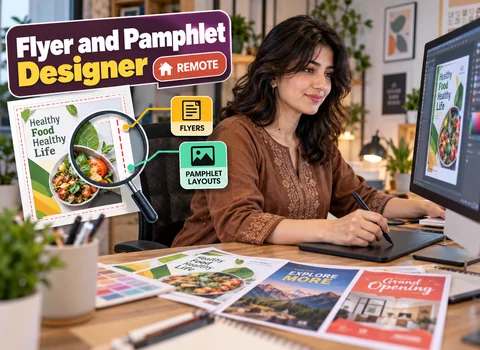
Nothing was wrong with the press. A café owner opened a box of fresh A5 flyers and found the last two digits of the phone number sliced off at the edge, and the fault lay in the file. The number sat right against the trim line, with no bleed and no safe zone. In one line: bleed is extra artwork that runs past the cut so no white sliver shows, and the safe zone is the inner margin where text stays protected from the blade. Preventing that is the job here: one of the online flyer and pamphlet designer jobs on our board that pays $18 per hour (USD), part-time, open to applicants worldwide.
Day to day, a flyer and pamphlet designer builds the printed pieces local businesses hand out across counters, slip under doors and pin to notice boards. In this listing the work centres on A5 flyers and folded pamphlets. You arrange offers, images and contact details clearly, set bleed and print margins, and hand over print-ready PDF files a printer can run without questions.
The flyer and pamphlet designer job description here is narrow on purpose. It is print layout for small businesses: a bakery's weekend deal, a salon's price list, a clinic's opening hours.
Paper size is the first decision on any job, and it changes everything after it. A4 measures 210 by 297 mm. A5 is exactly half of that, 148 by 210 mm, so two A5 flyers fit on one A4 sheet.
Folded pamphlets need more thought. A bi-fold is one sheet folded once down the middle, giving four panels: front cover, back cover and a two-panel inside spread. A tri-fold is folded twice, giving six panels, three on each side. On a tri-fold the panel that tucks inside has to be slightly narrower than the other two, otherwise it buckles against the fold. A stickler also checks panel order, because the cover is not always where you expect once the sheet is folded.
This is the stage where print bleed and paper size settings for pamphlet design need the most care. Set your document to the finished trim size, then add bleed on every side. A 3 mm bleed is a common standard, but always confirm with the shop that will run the job, since requirements differ. Any background colour or photo that touches the edge must stretch all the way into that bleed.
Keep text, logos and phone numbers well inside the safe zone, a few millimetres in from the trim. Work in CMYK, the colour model presses use, rather than RGB, which is built for screens. Images should be around 300 ppi at the size they will print. Finally, export a PDF with bleed included and crop marks if the printer wants them. Those habits are the core flyer and pamphlet designer skills, more than any flashy effect.
A sensible approach: let the brief and the printer decide the tool, not habit.
Local business print lives or dies on hierarchy. The offer goes first and biggest, supported by the business name and a strong image.
Contact details come next, and they need room to breathe. Phone number, WhatsApp, address and opening hours should be large enough to read at arm's length and sit comfortably inside the safe zone. For shops that depend on foot traffic, a simple map or landmark line ("opposite the bus stand") often does more than a paragraph of copy. On a tri-fold, the back panel is a natural home for the map and contact block, while the inside panels carry services and prices.
Send the client a proof before anything goes to print, and ask them to check spellings, prices, dates and the phone number digit by digit. Keep revisions to one marked-up list per round, and name versions clearly so the wrong file never reaches the printer.
When the client signs off, export the final print-ready PDF with bleed, check it once more at full zoom, and confirm the trim size matches the order.
This listing states clearly that a design course is helpful but not required, and that a portfolio of flyers or print ads is enough. A flyer and pamphlet designer course can speed up learning layout, typography and print setup, and some people like a flyer and pamphlet designer certification on their profile, but clients mostly judge your samples.
That makes this a reasonable path into flyer and pamphlet designer jobs for freshers. Anyone asking how to become a flyer and pamphlet designer with no client history can start by designing a few mock pieces for imaginary local businesses: an A5 offer flyer, a bi-fold menu, a tri-fold service pamphlet. Set each one up with proper bleed and export print-ready PDFs. That small portfolio shows exactly what this role needs. You will also need a computer and stable internet.
The flyer and pamphlet designer salary per hour on this listing is $18 per hour (USD), part-time. It is not paid per design. To give a feel for the figure, and before tax, a ten-hour total works out at $180; your own number follows the time you put in.
Because it is part-time and remote, it can work as a structured side hustle alongside study or another job. Part time flyer and pamphlet designer jobs like this one give you real print briefs to learn from, plus work to show later.
People looking for freelance flyer and pamphlet designer jobs often browse marketplaces such as Fiverr and Freelancer.com, where small businesses post print requests or buy design gigs. Those are only examples of places people look. Neither is the employer of this listing.
A fair question is whether flyer design is still worth it in a digital era. For local businesses, often yes. A pamphlet left at a counter or a menu on a fridge reaches neighbours online ads may miss.
And how does a flyer designer differ from a brochure designer? There is overlap. Flyers are usually single sheets with one clear message, while brochures tend to run to more pages and more detailed content. This role covers flyers and folded pamphlets, the shorter, punchier end of that range.
An offer that wants your money before your work is fake. A genuine design role never charges a registration fee, a software "starter kit" fee or a paid trial test. Be wary of anyone who wants your bank login or promises fixed income for almost no work.