
A woman named Priya sits at a flat-colour desk in a yellow jumper while paper sheets drop in from the top of frame, one on each stressed syllable of the voiceover, until the stack tips over on the words "pile up." A few seconds pass and the viewer already knows her problem with invoices. Getting those seconds right is the core of online explainer video animator jobs. This one is part-time and home-based, accepts applicants worldwide and pays $18 per hour (USD).
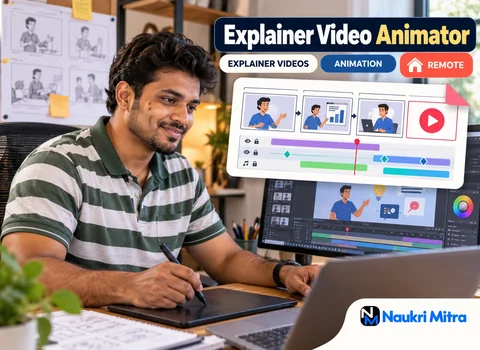
An explainer video animator turns a short script into moving pictures that make one idea easy to grasp. The script decides what gets said. You decide what the viewer sees on every beat of it. Here, that means building scenes from approved scripts and storyboards, syncing them to voice and music, and exporting after client revisions.
How does this differ from a motion graphics designer? The two roles overlap. A motion graphics designer may spend days on title sequences, logo stings or data animations with no story at all. An explainer animator is tied to a narrative: a character with a problem, a turn, a solution, a call to action.
You bill by the hour here, at the listed rate, on part-time terms. Run the numbers on ten logged hours and, before tax, you reach $180; that is simple multiplication for illustration, not a forecast of how much work there will be. Rates for an explainer video animator salary per hour vary widely elsewhere; this is the one that applies here.
Everything starts with the words. A good explainer script is plain and built in beats: hook, problem, solution, how it works, call to action. Mark where each beat begins, because those are your scene changes.
The voiceover becomes the spine of the edit. Final recording or scratch track, the audio sets the clock. You lay the voice down, then build to it.
The storyboard is the agreement: each panel shows a frame, a movement note and the line it covers. A sensible working order:
Block before you polish: a rough pass shows whether the story reads.
Timing is what viewers feel without noticing. When the narrator says "one click," the cursor lands on the button on that word, not six frames later.
Strong explainer video animator skills show most clearly here. Same assets, same script: the animator with tighter sync makes the video feel clearer.
The three tools named in this listing sit on one scale: how much is prebuilt versus how much you control.
A browser-based platform with a large library of characters, props and scenes. You assemble videos by placing assets and choosing actions, and talking characters can follow an imported voice track. It is quick, but the look stays close to the library's style.
A drag-and-drop cartoon builder with ready characters and backgrounds, suited to simple, friendly explainers. Like Vyond, it rewards timing and clean scene choices more than drawing ability.
Adobe's motion and compositing tool, where you own every keyframe, easing curve and layer. Custom rigs, shape layers and expressions let you match any brand. It is slower to learn and to build in, but it is where a distinct visual identity comes from.
One template tool plus After Effects gives you range: library speed when the brief allows, full keyframe control when it doesn't.
"Sixty seconds" sounds like a length. It is really a limit on ideas. A minute of voiceover holds one problem, one solution and a few supporting points. Not more.
At 30 frames per second, that minute is 1,800 frames, and every one should pull toward the call to action. So scenes change on beats, each visual carries one idea, transitions are short and purposeful, and the closing logo holds long enough to register. A tight minute is harder to make than a loose three.
This listing expects one to two years of motion graphics or animation experience, shown through a reel of explainer videos. The reel is the evidence; a long explainer video animator resume will not replace it.
Lead with your best thirty seconds. If you are searching for explainer video animator jobs for freshers, note that this role asks for prior experience, though spec pieces can start a reel while you build it.
The qualifications ask for a computer that renders video smoothly. Browser-based template tools run fine on a reliable modern laptop with stable internet. After Effects is heavier, so any explainer video animator work from home setup built around it needs more muscle: a recent multi-core processor, generous RAM for previews, a capable dedicated graphics card, and a fast SSD with room for the disk cache. Check Adobe's current system requirements before buying, since they change between versions.
For anyone asking how to become an explainer video animator, the real route is finishing projects against real scripts, with feedback. An explainer video animator course is worth it when it makes you deliver finished work rather than only watch lessons. Useful areas:
Adobe certifications can add a line to a profile, but clients hire from the reel. A good drill: record a scratch voiceover of a product description and animate it to a minute.
People looking for part time explainer video animator jobs often browse freelance marketplaces such as Fiverr, Upwork or Toptal, alongside job boards and direct outreach. Those names are examples of where people look; none is the employer of this listing.
The first client is usually the hardest. Make two or three spec explainers for real kinds of businesses, write short pitches that mention the prospect's product and sketch one frame idea, explain your revision process up front, and ask happy clients if you may show the finished piece.
Anyone weighing freelance explainer video animator jobs will also wonder about AI video tools. They can produce quick drafts and stock-style clips. Clients still need someone to shape a story, keep brand style consistent, time pictures to a human voice and handle revisions with judgement. Using AI for rough ideas while keeping craft control is a sensible position, though nobody can promise how demand will move.
Real animation work does not start with you paying. Walk away if an "employer" asks for a registration, training or starter-kit fee, insists you buy a template pack or software licence through their link to qualify, sets an unpaid "test" that is really a full client video, or sends a cheque for more than agreed and asks for the difference back. A genuine brief brings a script, a scope and the stated hourly rate.