
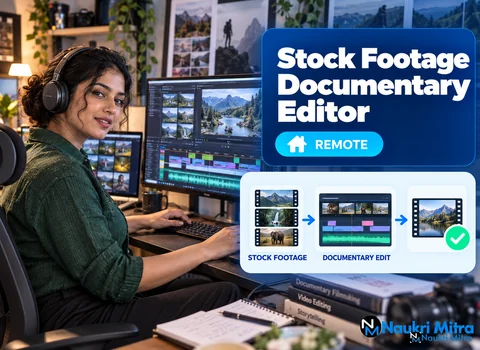
Open the project and the shape of the job is right there on the screen. The narration track runs along the bottom, a long ribbon of waveform with the narrator's breaths showing as small gaps. Above it sit archival newsreel clips, a few stock shots of a harbour at dawn, a still photograph of a factory floor waiting for its slow push-in, and an empty slot marked with a note: map graphic, next line of script. Building that timeline until the pictures carry the story is the work in these online stock footage documentary editor jobs. The role is part-time and remote, open to editors anywhere in the world, paying $18 hourly in USD. Clients are mostly documentary-style YouTube channels covering history, science and true stories, and they send a finished voiceover and a script. In practice, this is a stock footage documentary editor work from home role built around someone else's voice.
The rest of this stock footage documentary editor job description follows one video from script to export. Every edit starts with the words. Read the script once straight through for the argument, then a second time with a pen or a comment tool, marking visual beats: each place where the viewer needs a new picture. A sentence about a city needs an establishing shot. A sentence about a person needs a face, or a reason why there is no face. A line with a date or a distance usually wants a map or a caption.
Mark the beats against the audio as well as the text. Narrators slow down for emphasis and rush through connective lines, so a beat that looks short on paper might last several seconds once spoken. Many editors drop markers on the narration during a first listen and build to them.
With the beat list ready, you go hunting. Storyblocks is subscription-based; Pond5 is best known for single-clip purchases; and the client decides which library the channel pays for or whether you use your own account. Search with the vocabulary of footage, not of the script: "aerial coastline overcast" finds more than "the town's economy collapsed".
Beyond the paid libraries, many national archives, museum collections and government agencies publish material that is in the public domain or under open licences. Check the specific record for each item, because one collection can mix public domain scans with items that still carry rights.
This is the part viewers feel without noticing. In Premiere Pro or DaVinci Resolve you lay clips over the narration so each cut lands on a natural pause or a stressed word. A clip that outstays the sentence it illustrates makes the film feel slow; cutting mid-phrase makes it feel nervous.
Archival material brings its own problems. Old newsreels can have flicker, odd frame rates, burned-in logos or a running speed that looks too fast. You learn to fix speed, crop damage and judge when a rough clip earns its place because nothing else shows that moment.
Documentary channels lean on graphics that explain: perhaps an animated route across a map, a lower-third caption naming a place and year, and a gentle scale-and-position keyframe move on a photograph so it breathes on screen. Some clients supply map templates or a branded caption style; others expect you to build them in Premiere's Essential Graphics panel or Resolve's Fusion page. Keep fonts and movement speeds consistent across videos.
One minute of a documentary can combine a modern 4K drone shot, a grainy 1970s news clip and a scanned black-and-white print. Basic colour work makes them sit together. That usually means correcting exposure and white balance first, then applying a light shared look, perhaps slightly warm and a touch desaturated, so the modern stock does not look like an advert beside the archive. Trust scopes over an uncalibrated home monitor.
The voice is the spine. Keep narration clear and consistent, sitting comfortably above the music bed, and duck the music under speech so it rises in the gaps. A camera shutter over a photo or wind under an aerial adds texture when used sparingly. Watch loudness meters, and follow any target the client gives.
The last step is an export the client can upload without fuss. That usually means an H.264 or H.265 file at the project's resolution and frame rate, a sensible bitrate, and a separate caption file when asked. Before sending, watch the whole render once at normal speed. Black frames, a missing graphic or a preview watermark left on a stock clip all slip through when you only scrub.
Stock never comes free of conditions. Each Storyblocks or Pond5 licence has terms covering where the clip can appear and whether a subscription must stay active. Reread the terms of whichever plan pays for the footage, and be clear with the client about whose account holds the licence.
Fair use comes up constantly with news and archival footage, and it is widely misunderstood. It is a narrow legal defence that exists in some countries, decided case by case, and many jurisdictions have different or no equivalent rules. It is not a permission you can claim in advance. This listing offers no legal advice; when a client wants to use copyrighted footage under fair use, that is their decision to make with proper guidance. Your part is to credit sources as the client asks and keep a simple licence log per video: clip, source, licence type, date downloaded.
YouTube has long had policies on reused content, and its monetisation rules can affect channels built mostly from third-party footage with little added. A slideshow of stock clips over a generic voiceover is the kind of upload those rules are written for. Channels that get value from an editor are the ones adding original research, narration, structure and graphics, so your timeline becomes part of what makes the video their own work. YouTube revises these rules, so stay current.
That is also what separates documentary cutting from general YouTube editing. A vlog or gaming editor mostly trims existing camera footage, adds jump cuts and captions, and chases energy. A documentary editor builds the picture from nothing to fit a voice, so research, archive judgement and pacing matter more than effects.
No degree is required; samples carry far more weight. The core stock footage documentary editor skills are confident use of Premiere Pro or DaVinci Resolve, experience sourcing clips from Storyblocks or Pond5, a feel for documentary pacing and storytelling, basic colour and audio mixing, and a computer that handles HD editing smoothly. Budget for your own software and any personal stock plan.
For anyone weighing stock footage documentary editor jobs for freshers, a short stock footage documentary editor course in editing, colour or sound can speed you up, but no certificate replaces a reel. Pick a public domain topic, write or borrow a short narration you have rights to, and cut a two or three minute sample that shows a map, a photo move and mixed-source colour. Put the link at the top of your resume.
Every hour of editing earns $18 in USD. These are part time stock footage documentary editor jobs, and like most freelance stock footage documentary editor jobs, the hours follow the client's upload schedule. Work can be steady for a while and then quiet, and no client promises a fixed volume.
YTJobs, a board focused on YouTube roles, carries gigs like this, and channel owners also post editing projects on Upwork. Many ask for a test edit, which should be short and clearly scoped. For a first client, small history or explainer channels that already publish but have uneven editing are a realistic place to start. Send a short note naming one video of theirs, explaining what you would change, and attaching your sample. A first channel that renews is the best reference you will get.