
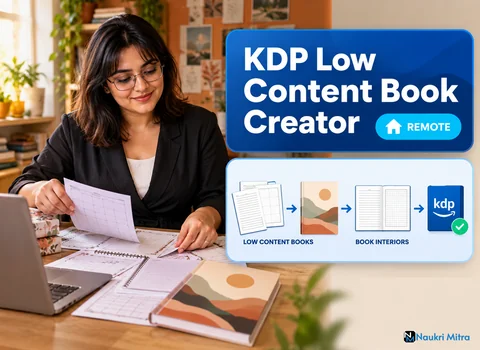
The KDP previewer loads the interior, scrolls to page 37 of a gratitude journal, and paints a red outline where the writing lines run past the safe area into the gutter. The upload stops on a warning until someone fixes the PDF. Getting interiors and covers right first time, so that never happens on any client's book, is most of this job. The post described here belongs to online kdp low content book creator jobs: home-based, part-time, unrestricted by country, and billed at $25 per hour (USD). You will research niches, design journal, planner and logbook interiors, build covers, write the listing copy and upload finished books to Amazon KDP.
Every book starts as a search term. In Book Bolt you look at what buyers type, how many existing titles answer that search, and whether those titles are good or merely present. A broad term like "notebook" tells you very little. A narrower one, such as a maintenance log for a specific kind of small boat, or a reading journal for a book club, shows you a real group of buyers and a realistic level of competition.
You will record each niche in a short sheet: the search terms, the sizes and page counts competitors use, common complaints in their reviews, and an angle the client could own. Reviews are often the most useful column. "Lines too close together" or "paper bleeds through with gel pens" is a design brief written by the customer.
Interior work is where the hours go. A journal needs a page count that suits its use, line spacing that suits the writer (wide ruling for children and older users, narrower for dense note takers), and prompts that are specific enough to be worth paying for. A planner needs dated or undated spreads, a sensible week layout, and room for the things its buyer actually tracks. A logbook needs fields in the order the user fills them in, whether that is mileage, a medication dose or a fishing catch.
You might build pages in Book Bolt's interior tools, in Canva, or in a layout tool the client prefers. What matters is the output: one clean PDF, consistent page by page, with fonts embedded and nothing important sitting on the edge.
Pick the trim size first, because everything else hangs off it. Common choices are standard paperback sizes for journals and larger formats for planners and activity pages. Then check KDP's current help pages for the margin rules, which vary with page count, and for the inside (gutter) margin, which grows as the book gets thicker.
Bleed is the other early decision. If any background, border or image touches the page edge, the file must be set up with bleed and slightly oversized pages. If nothing does, set it up without bleed and keep everything inside the margins. Changing your mind halfway through means rebuilding the file, which is exactly the rework this role exists to avoid.
A paperback cover is one wide image: back, spine and front. Spine width depends on page count and paper type, so a 120-page journal on white paper and the same journal on cream paper need different cover files. KDP provides a cover calculator and template for this; download a fresh one for each book rather than reusing an old file.
KDP Cover Creator handles the template for you and works well for simple, clean covers. Canva gives you more control, but you must size the canvas from the template, keep text away from the trim and spine edges, and export a print-quality PDF. Thin books may not be allowed spine text at all, so check before promising a client lettering on the spine.
Listing copy should help someone decide, not repeat every search term in the niche. A clear title, a subtitle that names the format and use, and a description covering size, page count, paper colour and layout will usually outperform a wall of keywords. Amazon's metadata guidelines also restrict what you can put in a title or subtitle, and stuffed listings can be suppressed. The seven keyword slots are the right place for extra search terms.
The upload itself is a sequence: book details, keywords and categories, then the interior and cover files, then the previewer, then pricing and rights. You will order or recommend a printed proof copy for any new layout, because paper shows problems a screen hides. Amazon reviews books before they go live and can query files, reject near-duplicate content or ask for changes, so build in time for that rather than promising clients a launch date.
A no content book is a blank or near-blank interior: lined notebooks, graph paper, sketchbooks, plain logbook grids. A low content book adds structure or text that gives the pages purpose, such as prompts, trackers, checklists, puzzle pages or a guided planner. Both are legitimate formats, and KDP lets you mark either as low-content at setup and publish without an ISBN. The difference matters for value: an endless supply of lined notebooks exists already, while a well-researched prompt journal is something a buyer cannot easily find twice.
The kdp low content book creator skills clients care about do not include a degree. Basic design skills and attention to detail are enough to start, along with familiarity with Book Bolt, Canva and KDP Cover Creator, working knowledge of KDP trim sizes and interior PDF rules, and simple niche and keyword research. Sample journals or planners help a lot. You will also need a laptop with a steady internet connection.
Freshers can do well if they publish two or three test books on their own account first. Doing the whole process once, including a rejected file and a corrected upload, teaches you more than any kdp low content book creator course. No official certification exists for this work; a portfolio of real, live interiors carries far more weight with clients.
This role bills at $25 per hour (USD) for part-time work, and your hours depend on how many client books are open. Some weeks bring a full planner build, others a single cover revision. Steady volume is never promised to anyone. Expect to fund Book Bolt or a paid Canva plan yourself, and font or graphic licences differ from one tool and tier to the next, so confirm commercial use rights before you place an asset in a book someone will sell.
Self-publishers post this work on Fiverr, Upwork and other marketplaces: interior formatting, cover resizing, full journal builds. Lead with your own books. A gig or profile that shows a planner interior spread, a full cover with spine, and a screenshot of a clean previewer pass persuades a client far better than any list of tools.
When you start with a client, ask for the trim size, paper type, page count and whether they want bleed before you open a design file. Agree on revisions in writing. Deliver the print-ready interior PDF, the cover PDF built from that book's template, and your listing copy as a separate document. Clients who self-publish often come back for a series once the first book uploads without a warning.
It is crowded. Generic notebooks and copied planners fill a large share of search results, and many earn very little. Amazon has tightened its content guidelines and quality checks over time, and it can block listings it judges to be low quality or duplicated. Books still sell when they serve a narrow, real need better than what already exists, but no one can promise income from any title.
Never copy another seller's interior, cover layout or wording, and never put trademarked phrases, brand names, characters or sports team names on a book. Infringement complaints can remove books and close accounts, and that risk lands on your client. Original layouts and careful research are the whole value you bring.