
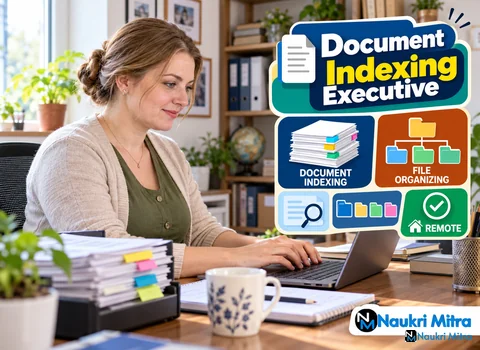
A legal team needs one signed supplier contract from four years ago. It was scanned, so it exists somewhere among tens of thousands of image files called things like SCAN_00417.pdf. Nobody recorded who signed it, when, or what kind of document it was, so for practical purposes it is lost. This listing pays someone to stop it happening. It is one of the online document indexing executive jobs on our board: part-time, fully remote, open worldwide, at $5 per hour, USD.
The fix is not complicated. Every page gets labelled with the details people will later search by, named sensibly and filed where it belongs. Done well, that contract turns up in seconds.
Boiled down, the document indexing executive job description is short: you make scanned paper findable. Files reach you as images or PDFs, often in large batches. For each one you read the page, pull out the key details, type them into fields in SharePoint or a document management system (DMS), give the file a proper name and move it into the correct folder. Along the way you check that the scan is usable and flag anything that is not.
The difficulty is doing it the same way on the five-hundredth file as on the first, because one lazy entry can hide a record for years.
Indexing scanned documents with names, dates and keywords is the core of the role. Most projects ask for four kinds of information:
The habit worth building early is to read before you type. A contract can carry three dates and two company names. Your job is to pick the ones the index guide asks for, not the first ones you see.
Once a document is indexed, it is renamed using whatever convention the project has fixed, often something like a client name, document type and date joined together. You follow that pattern exactly. Small slips cause real damage here: an extra space, a swapped day and month, or an abbreviation used one day and spelled out the next. Any of them is enough to break a sorted list or a search.
If the guide does not cover a case, ask your supervisor rather than inventing your own style.
Most of this work happens inside document indexing software. SharePoint is common: you upload or open a file in a library, fill in its metadata columns and save it into the right folder. Other employers use a dedicated DMS with an indexing screen, where the scan shows on one side and the entry fields on the other. The routine is the same either way.
You do not need to be an expert in any particular system before applying. Knowing your way around SharePoint or any DMS is expected, and if you have used neither, a free SharePoint walkthrough and some practice with folder structures will cover the basics.
An index is only as good as the scans behind it, so part of the job is quality control. Before you file anything, look at the image: is the whole page there, is it the right way up, can the text be read, are pages missing or out of order?
Two problems get reported to the supervisor instead of being quietly fixed or skipped. The first is files that cannot be read at all. The second is duplicates, where the same document has been scanned twice, perhaps under different names. Note the file name and what is wrong, then carry on with the batch. Deleting files on your own judgement is usually not your call.
Indexing teams usually work to accuracy targets, and reviewers often recheck a sample of your entries. The exact figure varies by employer and project, so read the brief rather than relying on what someone online says is standard. A fast indexer who gets dates wrong creates more work than a slower careful one.
A dual-monitor setup helps a lot: the scan on one screen and the entry form on the other means less switching and fewer errors. That said, it is not always required. Check what the role asks for before you buy anything. A single decent screen, a working computer and reliable internet are the stated basics for this listing.
The qualifications for document indexing jobs like this one are modest. A 12th pass or a graduate with basic computer skills is enough, and no prior experience is required. What the employer does expect is organised work habits, accurate typing and some familiarity with SharePoint or a document management system.
On document indexing executive salary per hour: the figure for this part-time role is $5 per hour, USD. Treat it as side income rather than a full wage. Part time document indexing executive jobs suit students, people between jobs and anyone with a few spare hours and a patient temperament. If you see freelance document indexing executive jobs elsewhere priced per file or per batch, that is a different arrangement. This one is hourly.
Document indexing is mostly done for BPO firms and records management companies that handle back-office paperwork for banks, insurers, hospitals, law firms and government offices. When you look for similar roles, check postings on official careers pages, and walk away from any offer that asks for money up front.
Freshers can find document indexing executive jobs for freshers, and this one asks for no experience, since you can build the skills at home. To start in indexing, here is a practical path:
A document indexing executive course is optional, and so is any document indexing executive certification. Short SharePoint or records courses can help a resume, but this role does not require them. Document indexing executive interview questions may cover how you would handle an unreadable page, how you keep naming consistent and how you check your own work.
People mix these jobs up all the time. A document scanning operator works with the paper: preparing pages, removing staples, feeding scanners and making sure images are captured. An indexer works with what comes out of the scanner, reading each image, recording its details, naming it and filing it. Scanning usually means being on site with the machines. Indexing can be done remotely, which is why this listing is a document indexing executive work from home role.
Partly. OCR and AI tools can now read clean typed documents and suggest names, dates and types automatically, and that has reduced some purely manual entry. But real archives are rarely clean. Handwriting, faded carbon copies, stamps over text, mixed languages and odd layouts still trip these tools up, and someone has to check what they produce. In many projects the indexer's role seems to be shifting towards verifying and correcting machine suggestions rather than disappearing. How quickly that changes is hard to predict, so building document indexing executive skills alongside some comfort with these tools is a sensible hedge.