
+ Post Job +
AI Video Creator Remote Job
Home โ€บ Fiverr/Upwork Trending Gigs

AI Video Creator Remote Job

๐Ÿ“ Anywhere ๐Ÿท๏ธ Fiverr/Upwork Trending Gigs ๐Ÿ’ฐ $22 / hour

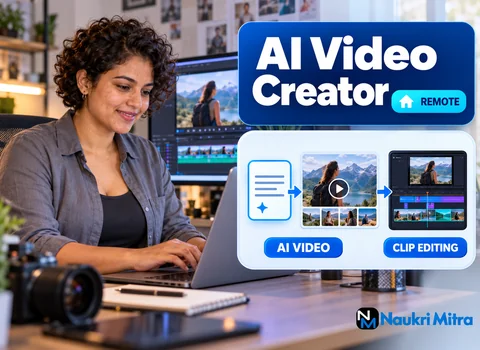
On one end sits a long blog post: a few thousand words on picking a houseplant for a dark flat, with three subheadings and a header photo nobody remembers. On the other end is a short vertical video with bold captions, a calm voiceover, leaves moving in window light and the shop's logo in the corner. The middle, where one becomes the other, is this job. It's one of the online ai video creator jobs small businesses hand out in pieces: part-time, worth $22 per hour in USD, done entirely online and open to people in any country.

Nobody asks for a degree or a set number of years. Clients hire on the strength of a few samples showing you can cut a script down, pick footage that matches the words and keep captions readable on a phone. The ai video creator job description really splits by client, so here are the three you'll meet most.

The blogger sitting on years of old posts

Bloggers have plenty of writing and almost no video. A typical request: turn my most-read posts into clips for Reels and Shorts. One post might go like this.

  • Find the single idea a viewer could use in under a minute. A long piece about watering becomes one line: press a finger into the soil before you reach for the can.
  • Write five or six short script lines. Long sentences turn into walls of caption text.
  • Paste the script into Pictory, which suggests a stock scene per line, or into InVideo, which builds a draft from a template and a prompt.
  • Swap anything off-topic. Automatic matching loves generic office shots; a gardening blog needs hands in soil.

Pictory suits bloggers who just send a link and want the article boiled down. InVideo gives more template control for clients with set brand colours and fonts.

The coach who would rather stay off camera

Coaches often arrive with a script already written, perhaps a dozen tips meant to become a dozen videos. For each tip:

  • Trim so the tip lands in the opening seconds. "Stop checking email before ten" beats a slow warm-up.
  • Add an AI voice, or a clean read the coach records on their phone.
  • Build the sequence: hook on screen, two or three supporting shots, a closing line with the handle.
  • Save a series template so tip seven matches tip one in font, caption position and outro.

Consistency is what coaches pay for. Viewers should recognise the series before reading a word.

A small shop with something new on the shelf

Shops send a few product photos, a description and a launch date, often with no footage at all. Animate the stills with slow zooms, drop in a brief Runway clip for atmosphere (steam off a mug, rain down a window) and close with "in store now" or "link in bio". Check every product detail against what the owner sent. A wrong colour name in a caption gets a video pulled on day one.

Where Runway clips earn their place

Runway makes short clips from a text prompt or a still image. It's great for shots stock libraries lack, like a paper boat drifting across a puddle. It's weaker with hands, readable text and anything that must look like one specific real product, so treat generated clips as mood, never as proof. Keep each prompt in your notes for matching revisions. And read the licence: what you may do commercially is set by each tool's terms and the plan you pay for, and those terms get updated.

Assembly in CapCut: footage, music, voice, captions and brand

Drafts from InVideo or Pictory are rarely finished. Bring them into CapCut for the work that stops a video looking auto-made.

  • Stock footage: replace repeated or off-brand shots and cut on movement.
  • Music: use a licensed library track, lowered under the voice. Trending in-app sounds aren't always cleared for business accounts.
  • Voiceover: fix mispronounced brand names and add pauses where the AI voice rushes.
  • Captions: read every auto-caption, break lines where a person would breathe, and keep text clear of the app buttons.
  • Branding: logo, colours and an end card with the handle or website.

Export vertical for Reels, TikTok and Shorts, square or wide for websites. Name files clearly and deliver on the agreed date.

A laptop that keeps up, and the subscriptions you cover yourself

Much of the generating in InVideo, Pictory and Runway happens on their servers, so it's kind to older machines. CapCut is where your hardware matters. For ai video creator work from home, look for:

  • a recent multi-core processor and enough memory to scrub a timeline smoothly at the resolution your clients need;
  • a solid-state drive with room for projects and exports;
  • a screen with reasonably accurate colour;
  • steady internet, since uploads, cloud renders and footage downloads use a lot of bandwidth.

The tool bills are normally yours. Free tiers often add watermarks, cap export quality or restrict commercial use. Start with what your first clients request and add more once the work covers it. Plans change, so check each tool's pricing page first.

Skills to build, with or without a course

No film degree needed. The ai video creator skills that matter are practical:

  • basic editing: trimming, cutting on action, layering audio;
  • pacing, which mostly means noticing when a shot has stayed too long;
  • a hook, a point and a payoff inside a minute;
  • good written English for captions;
  • clear prompts for Runway and script-to-video tools.

A short ai video creator course or general editing course fills gaps, especially pacing and sound. Choose one where you finish real projects. Clients will press play on your samples long before they ask about any certificate.

Making samples before anyone has hired you

Anyone wanting to become an AI video creator with an empty client list can start here. Write three scripts yourself: a blog post you drafted first (so no one else's text is reused), three coaching-style tips, and a launch for an imaginary shop. Run each through the workflow above, post them on unlisted links, and note which tool handled which step. That is why ai video creator jobs for freshers are reachable: the samples do the talking.

Packages and pitches: online AI video creator jobs on Fiverr and Upwork

Freelance AI video creator jobs often appear on Fiverr and Upwork. On Fiverr you'd offer packages, say one blog post into three captioned shorts. On Upwork you'd answer posts with a short pitch and one sample from the client's niche. An ai video creator salary per hour, like this role's $22 per hour, fits hourly contracts; on fixed packages, track your time to see what you really earn.

Expect quiet weeks. Part-time AI video creator jobs carry no guarantee of hours or income. Separately, marketplaces keep adjusting how sellers must label AI-made videos, so reread their policies before you list a gig.

What a traditional video editor does differently

A video editor usually shapes footage someone already shot, such as interviews or long YouTube episodes. An AI video creator more often starts from words and generates or sources the pictures, so you'll write, prompt and fact-check as much as cut. Editors who learn the tools cross over quickly, and creators who keep improving their editing win better repeat clients.

Is this a real way to earn, and what should worry you?

Yes. Real businesses pay for short repurposed videos, and the work is posted openly on mainstream freelance sites. Scammers chase the same searches, though. Walk away from anyone who:

  • asks for a fee to join, register or see the job list;
  • says you must buy their training or tool bundle first;
  • charges you to apply or to submit a test video;
  • wants a long unpaid trial series instead of a short paid test.

Paying for your own editing tools is normal freelance practice. Paying someone for the chance to be hired is not.

Frequently Asked Questions

It is hourly, at $22 USD. Since it is part-time work, the amount you make each week rises and falls with how many videos clients send, and that can swing a lot between busy and quiet weeks. You also cover your own InVideo, Pictory, Runway or CapCut plans, so budget for them.
Start by learning basic cutting and audio in CapCut, then try InVideo or Pictory on a script you wrote yourself. Make three sample videos for different client types, such as a blog post, a tip series and a product announcement. Share them as links, then apply for small gigs and build from there.
Rarely, and it is not a requirement here. A short online editing course can sharpen your pacing and sound, and a certificate is fine to list on your profile. Clients judge you mainly on your samples, though, so put most of your effort into finished videos that match the work you want.
List the tools you use, such as InVideo, Pictory, Runway and CapCut, and link two to four sample videos. Under each sample, note the source material and what you did. Mention any course you finished, your caption and English skills, and the hours you are available each week.
Questions usually test how you work. Which tool would you use for a blog post compared with a product launch? How do you check captions? How do you handle a revision request? Where does your music come from, and is it licensed? Some clients may ask for a short paid test video too.
It depends on the project. A simple tip video built from a ready script and a saved template can be quick once you are practised, while a product video with Runway clips and several revisions takes longer. Track your time on early projects so you can quote realistic packages later.
Often, yes, because much of the generating in InVideo, Pictory and Runway happens online. Final editing in CapCut is smoother with a recent processor, enough memory, a solid-state drive and steady internet. Try a short project on your current machine before you think about buying anything new.
Be open with clients about which parts are AI-generated, especially Runway clips and AI voices. Social platforms and freelance sites each publish disclosure and content rules that get updated, so look them up before posting. Whether generated material can be used commercially is a separate question, answered by the tool's terms for your plan.
Apply Now