
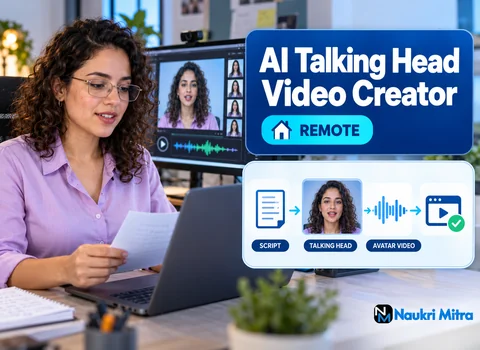
Before anyone builds a custom avatar or clones a voice, the real person behind that face and that voice has to agree to it in writing. That signed consent is where a good talking-head job starts, and it is the first thing to check on every project. This role is one of the online ai talking head video creator jobs in the Fiverr and Upwork style of work: part-time, done from home wherever you live in the world, and paid at $22 USD per hour. You take a client's script, turn it into a spokesperson video with an AI avatar in HeyGen, Synthesia or D-ID, clean it up in CapCut, and deliver files ready for training, sales or social channels. Beginners are welcome. A few sample avatar videos are enough to show you can do it.
Anyone who has made training videos with real presenters will recognise the flow, so here is the ai talking head video creator job description written for a new assistant: a checklist, in production order.
Stock avatars are licensed by the platform, so the question there is whether your plan covers the client's intended use. Custom avatars and cloned voices copy a living person, and that person must give written permission covering what will be made, where it will be shown and for how long. HeyGen, Synthesia and D-ID each run their own consent and verification steps for custom avatars, and those steps get revised, so check the latest version before promising a client anything.
If a client cannot produce that consent, the job stops there.
Client scripts usually arrive written for reading, full of stacked clauses and abbreviations a voice engine will mangle. A spoken sentence carries one idea and lands its point at the end. So you split a line like "Employees who, following onboarding, have not yet completed the compliance module should do so by Friday" into two: "Finished onboarding? Good. Now complete the compliance module by Friday."
Other scriptwriting basics that matter here: spell numbers the way they should sound, write out acronyms the first time, and read every line aloud. If you run out of breath, the avatar will sound rushed. Get the client's approval on your edit before generating anything; regenerating after a late change eats unbilled time.
Clients often already have an account on one of these. Synthesia is common in corporate training, HeyGen is popular for marketing and social clips, and D-ID is often used to animate a single photo into a speaking face. You match the avatar to the audience: a calm, plainly dressed presenter for a safety module, something warmer for a product welcome message. Then you pick a voice whose age, accent and energy fit that face; viewers notice a mismatch even when they cannot say why.
The first render is a draft. Listen through once with your eyes closed, noting every word that sounds wrong; names of products, places and people are the usual offenders. Most platforms let you add phonetic spellings, pauses or a pronunciation dictionary; failing that, respelling the word in the script ("Nguyen" as "win," for example) often works.
Pacing is the second pass, done with eyes open. Add a short pause before a key instruction, slow the voice slightly for training material and lift it a touch for social. Regenerating one section at a time keeps render credits under control.
Watch the face with the sound on and then once with it off. Look hard at the mouth on "p," "b" and "m" sounds, since lips must close on those. Watch for blurred teeth, a frozen jaw or eyes that never blink. If a section looks off, rewording a phrase or changing a pause usually fixes it faster than switching avatars. Mark the timecode of anything you could not fix so the client knows before they see it.
Bring the high-quality avatar export into CapCut or a similar editor. Generate captions, then correct them by hand against the approved script, because auto captions turn pronunciation errors into spelling errors. Place the client's logo where it will not cover the speaker's face or the caption line. Add b-roll, screen recordings or simple text cards at the points where the script mentions something the viewer should see. A lone talking head gets tiring; brief cutaways keep attention.
The same script can need three different files. Training videos usually go into a learning platform, so horizontal 16:9, steady pacing, and burned-in or separate caption files as the client's system requires. Sales videos may be personalised versions sent to prospects, which means careful naming so the right file reaches the right person. Social clips are often vertical 9:16, shorter, with large captions placed in the safe area. Confirm format, length and naming before export, and keep project files for late revisions.
As a freelancer you will usually foot every tool bill yourself. HeyGen, Synthesia and D-ID sell paid plans with limits on minutes, avatars or features, and CapCut has free and paid tiers. Some clients will give you access to their own workspace, so ask. Prices and limits change often; check each tool's current page.
Licensing matters as much as cost. Whether a video can be used commercially, and whether a custom voice clone is allowed at all, comes down to the tool's present licence wording and your tier. Do not assume any output is free to use for a client simply because you made it.
Avatars suit content that changes often or must exist in many languages: policy updates, software walkthroughs, onboarding modules. Re-booking a human presenter for one changed sentence is expensive; regenerating is not.
A real presenter is still the right call when trust and emotion carry the message. A founder apologising to customers, a leader announcing layoffs or a testimonial should come from a real person on camera. Telling a client this honestly, even when it costs you the job, is part of the work.
This role pays $22 USD per hour, and as with most part time ai talking head video creator jobs, hours depend on the projects available, with no promise of a set schedule or steady income. You need no diploma and no earlier video experience, which makes it reasonable among ai talking head video creator jobs for freshers. Clients want proof: short samples with clean pronunciation, good lip-sync and tidy captions. Those are the ai talking head video creator skills that get noticed.
Is the work legitimate and in demand? Companies do use avatar video for training, sales and social content, and requests appear regularly on marketplaces. Honestly, demand varies by niche and season, competition is real, and the creators who keep clients handle consent properly and catch errors first. Be suspicious of any offer that demands a payment before you can even begin.
Freelance ai talking head video creator jobs get posted on busy marketplaces such as Fiverr and Upwork. To start, build three stock-avatar samples for one buyer type: an onboarding clip, a product explainer and a vertical social video. Write your gig around what the client receives, a finished captioned file in their format, and state that custom avatars and voice clones need the real person's written consent. Marketplace rules on AI content and disclosure get updated, so check them.
If you are asking how to become ai talking head video creator material from a standing start, learn one platform deeply, offer script editing too, and run this checklist on every delivery. Tool makers' courses help, but a clean portfolio of finished, captioned work counts for more with most paying clients.