
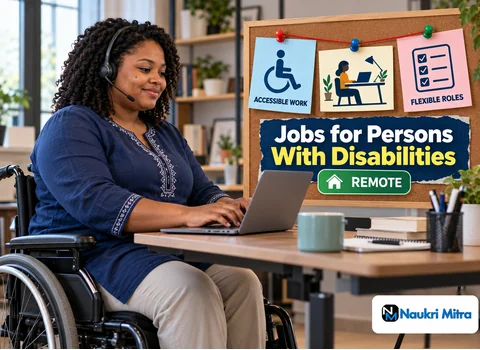
NVDA runs through the ticket at a speech rate set fast for efficiency: a customer asking why the replacement charger she was promised has not shipped, then her order number, then the previous agent's note saying the address was confirmed and the warehouse had been chased. The reply gets typed, read back once for tone and spelling, and sent. The customer never needs to know how the agent read her message. That is the everyday reality behind these work from home jobs for persons with disabilities, and it is the reason this role is built around email and chat rather than phone calls.
No country is excluded for this part-time role, which is done entirely from home. Pay is $6 per hour (USD). It is open to candidates with any disability. Class 12 or a graduate degree is preferred, and freshers are welcome. You will need good written English, basic typing, comfort with NVDA, JAWS or whatever assistive tools you already use, and a computer on a steady internet connection. Training is provided in accessible formats.
Most of the day is reading a customer's message, working out what they actually want, and answering it in clear written English. The queries are ordinary ones: where is my parcel, how do I reset my password, why was I charged this amount, can I change my delivery address. Email allows time to check facts; chat needs shorter, quicker replies.
A typical part-time block:
Hours and message volume vary, so no fixed number of shifts is promised; ask how scheduling and shift swaps work.
A screen reader turns what is on the screen into speech or braille output. NVDA is free and open source, which makes it the usual starting point for anyone learning at home. JAWS is a commercial product with a paid licence, and some employers or schemes provide it. Both rely on keyboard shortcuts, so a strong agent knows the commands for headings, links, form fields and tables by heart.
Screen readers are only one part of assistive technology for remote work. Others you will meet on support teams include:
Some colleagues, including some wheelchair users and people with chronic illness, need no special software, only flexible breaks. The tools differ; the work does not.
Every conversation becomes a ticket: the customer's name, the issue category, what you did and whether it is solved or waiting. Help desk software varies a great deal in how well it works with a screen reader. Some label every field properly; others hide key actions behind unlabelled icons a keyboard cannot reach.
Raise this early, ideally at interview. Ask which ticketing system the team uses and whether anyone has used it with your tool. If a field cannot be reached, the fix might be a keyboard shortcut, a different view, or a small change by the vendor. Better to learn that in week one than mid-chat.
You are not expected to invent answers. Support teams keep written guides, sometimes called a knowledge base, that set out the steps for each common problem: refunds within policy, address changes, account unlocks, delivery delays. Well-made guides use real headings and plain lists, which suits screen readers. A long PDF made from scanned pages does not.
Learn guides by their structure: if each refund situation has its own heading, one key takes you there. Private notes are fine if they hold no customer data.
Some messages are not yours to solve: a legal threat, a suspected fraud, a request for an exception the guide does not allow, a customer who is upset beyond what an apology can fix. Escalating them is good work, not failure. Write a summary the supervisor can read in one pass: what the customer wants, what has already been tried, and what you think is needed. Then tell the customer that a senior colleague will follow up.
This role includes accessible training, which should mean documents that work with screen readers, captioned videos and enough time to practise in the real tools.
Free skill training exists outside any one employer. NV Access publishes its own learning material for NVDA, some government portals such as SWAYAM in India offer free online courses, and disability-focused non-profits run skilling programmes. Details change, so check them yourself. A genuine programme never asks for money to be sent to an unknown recruiter.
In India, the disability certificate and the UDID card issued under the Unique Disability ID scheme are the standard proof. Other countries use their own documents. A private employer usually asks for a certificate only if you apply through a reserved or disability-focused hiring drive, or if you request a specific accommodation that needs proof. Government quota posts generally require it, often with a minimum stated percentage of disability.
Outside those cases, you choose what to disclose and when.
A reliable computer, a headset so screen reader speech stays private, stable internet and a backup such as a phone hotspot will cover most of it. Add a comfortable chair, a desk at the right height and suitable lighting.
Reasonable accommodation means changes that let you do the same job: software, extra time on an online test, flexible breaks, an alternative format for training. India's RPwD Act 2016 and the Americans with Disabilities Act in the US both place duties on employers, but who is covered depends on the country, the employer and the situation. Treat this as an outline only, not legal advice. Send the request by email or another written channel, keep it specific, and ask a disability rights organisation if you are unsure.
A private remote support job is quicker to apply for, needs no commute and can start after a short assessment. Its drawbacks are less job security, hours that can change and pay set by the individual employer. A government post under a PwD reservation can offer long-term stability and set benefits, but recruitment runs through formal exams and notifications, timelines are long, and most posts are office-based. PwD quota remote jobs are rare in the public sector.
Many people do both, earning privately while preparing for government exams. Government schemes for PwD employment, such as skilling and placement support, are worth checking through your local disability office.
Disability-focused portals help you find disability friendly employers; Youth4Jobs and Atypical Advantage, both working in India, show what such platforms look like. Openings there change often, so use them as a starting point.
Inclusive hiring companies tend to fall into a few types: large customer service outsourcing firms with diversity programmes, technology and e-commerce businesses with in-house support teams, banks and telecom providers, and social enterprises built around employing people with disabilities. Online jobs for PwD candidates are free to apply for. Any demand for a registration fee, a laptop deposit or paid training gives the fraud away.
Support work builds written communication and calm problem solving. After a period of steady work, agents often move to quality review, training new hires, writing knowledge base articles, or team lead roles. Agents who use assistive technology every day are well placed for accessibility testing, because they know first-hand how support tools and websites behave with a screen reader. No employer promises any of these moves. Keep a record of your results and the tools you have mastered for when roles open.