
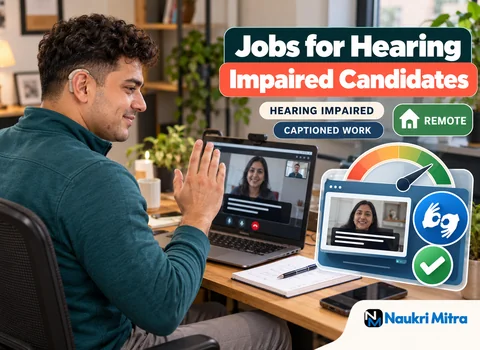
Every instruction in this role arrives in writing: a task brief in the chat, a checklist in an email, a correction left as a comment. A team that works that way already suits deaf and hard of hearing candidates, because nothing that matters depends on a phone call or a remark made in passing. Now the facts. This listing is among the work from home jobs for hearing impaired candidates that sit entirely outside voice work: part-time, remote, open whatever country you live in, and paying $6 per hour in US dollars. The tasks are data entry, graphic design or coding, with no calls to take or make.
The work falls into three tracks. A session starts the same way in each: you open the team chat or task board and read what has been assigned. That might be a folder of scanned forms to key into a spreadsheet, a set of social media banners in three sizes, or a ticket describing a contact form that stops working on mobile. Each task carries written notes on format, deadline and what counts as done.
Typical non-voice tasks include:
These are chat based jobs in the plainest sense: nothing needs you to follow spoken discussion in real time.
Your team talks to you through chat tools such as Slack, Microsoft Teams or Google Chat, and through email for anything longer. A few habits on your side keep it smooth. Reply to a new task with a short acknowledgement so the sender knows it landed. Keep questions in the task's thread, grouped into one numbered message rather than five separate pings. At the end of each working block, post a two-line status: what is finished and what is still open.
It also helps to say once, plainly, how you work: a line in your chat profile noting that you are deaf or hard of hearing and that messages suit you better than calls. The written record protects you too. If a deadline or specification changes, the change sits in the thread for anyone to check.
Some teams hold a weekly video check-in. Google Meet, Zoom and Microsoft Teams all offer built-in live captions you can switch on yourself. For speech in a room or from a speaker, Google Live Transcribe on an Android phone turns audio into on-screen text. This kind of assistive technology for remote work is useful but imperfect: accuracy drops with crosstalk, strong accents, weak microphones and jargon.
So ask, in writing, for an agenda sent ahead, speakers taking turns, and a written summary of decisions afterwards. Where a sign language interpreter is available, you can request one for longer sessions. A reasonable team agrees quickly, and the summary helps everyone.
The written instructions are your yardstick. Keep the task notes open beside your work and tick through them before submitting. For data entry, spot-check rows against the source, confirm totals and search for duplicates and blanks. For design, check sizes, colours, fonts and file types. For coding, run the page or script, test the case in the ticket and confirm each acceptance point.
When two instructions contradict each other, quote both back to whoever assigned the task, ask which applies, and keep the answer.
Each task carries an agreed timeline, and finished files go back through a shared drive or the task board by then. Because the role is part-time, hours and task flow vary by project, and nobody can honestly promise a set number of weekly hours.
Each hour earns $6 in US dollars, set by the work rather than by anyone's hearing. You need your own computer and stable internet; if a project uses a paid tool, check who covers the subscription. No genuine role charges a joining, registration or testing fee.
Class 12 or graduation is preferred for this role. Across all three tracks you need good written English, steady typing and the basics of at least one track.
If you already read closely and write everything down, say so; written-first teams value it.
You do not need a paid course. In many countries, government skill-development schemes for persons with disabilities offer free training in computer basics, office tools and design, some with sign language support. Non-profits run similar programmes, sometimes taught in Indian Sign Language or another national sign language. SWAYAM in India and Coursera both list beginner courses you can follow free, though certificates may carry a fee.
Accessible work from home jobs start with accessible courses, so check that videos have accurate captions or transcripts before committing time, and be wary of anyone selling training with a guaranteed job.
Several organisations help persons with disabilities, including deaf and hard of hearing people, find work and reach disability friendly employers. Two examples working on training and job matching are Youth4Jobs and Atypical Advantage, and both are useful for learning what roles exist.
A short skills test is normal: data to clean, a small design or a coding exercise. For the interview, state your preferred format when you apply:
Whether to mention your hearing at all is your decision; many candidates do so simply to set up the format.
Many countries have laws that protect workers with disabilities from discrimination and expect employers to make reasonable adjustments. In India, the Rights of Persons with Disabilities (RPwD) Act 2016 includes reasonable accommodation and equal opportunity in employment, and in the US, the Americans with Disabilities Act requires covered employers to provide reasonable accommodation unless it would cause undue hardship. Some governments also run employment schemes or reserved posts for persons with disabilities. Details vary by country, employer size and whether you are an employee or a contractor, and nothing written here counts as legal advice. Captions, written agendas and interpreters are common accommodations. Make requests in writing, keep the replies, and for your own situation contact a local disability rights body or a lawyer.
Data entry is usually the quicker start. The rules are clear, quality is easy to measure, and a short test shows your accuracy without a portfolio. The trade-off is repetition and a lower ceiling unless you build data skills. Graphic design takes longer to break into because clients want a portfolio, and feedback is more subjective, often several rounds of written comments on one piece. In return it offers variety and more room to grow. Coding sits apart, with a steeper learning curve and wider later options. If unsure, try each for a week.
Data entry can lead to data quality checking, MIS reporting and analysis with Excel, SQL and dashboards. Design can grow into brand or UI design and motion graphics. Coding can lead to front-end development or software testing. Keep finished work you may share, save good written feedback, and add one skill at a time. Progress depends on your skills and the market, and no part-time role guarantees it. Still, a record of accurate, on-time work is evidence any future employer can read.