
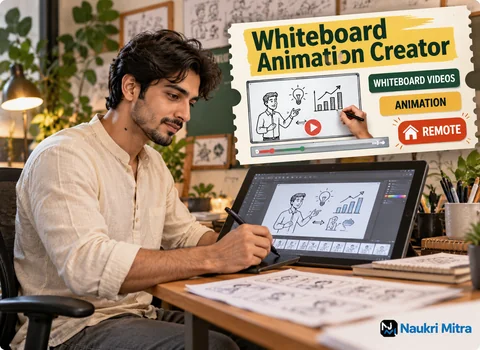
"Most small shops lose their first customer on the doorstep." The hand sketches a shop door, then a tiny figure turning away. "Not because the coffee is bad, but because nobody told them it existed." A question mark pops over the figure's head, drawn in two quick strokes. "So Meera tried something new." A speech bubble opens, and the hand writes her name inside it just as the narrator says it. That is the rhythm behind online whiteboard animation creator jobs: words and lines arriving together, never one waiting for the other. It is part-time home-based work, open in any country, at $18 per hour (USD).
The work itself is simple to describe. A client sends a script and usually a recorded voiceover. You turn those words into hand-drawn style scenes, time every stroke and caption to the narration, add music and transitions, then export the finished explainer in the sizes the client asked for. After that come revision rounds, which you answer promptly. Pacing is the craft: a drawing that finishes late feels clumsy, one that finishes early feels empty.
A portfolio of explainer videos counts for more than any degree here. Confidence in VideoScribe or Doodly, a feel for how a voiceover sets tempo, and a computer that can edit video are the basics; After Effects is a plus. Freshers are welcome to try: whiteboard animation creator jobs for freshers usually come down to two or three strong sample videos rather than years on a CV.
Here the figure is $18 per hour (USD), part-time, with hours set by the projects in hand and no fixed weekly total. Elsewhere, a whiteboard animation creator salary varies with skill and niche; bonuses, where they exist, are each employer's decision and none is offered here.
A normal part-time week might look like this: Monday brings a brief and a 90-second script; Tuesday you send a rough storyboard; Wednesday and Thursday go on the animation; Friday the client gets a first cut. Notes come back, a second round follows, and deadlines are agreed per video.
Before opening any software, read the script aloud with a timer running. Mark every noun that can become a drawing and every pause where the viewer needs a beat to absorb an idea. Roughly 150 words make a minute of narration.
Clients often ask what you need from them. For remote whiteboard videos, the answer is a locked script, a clean voiceover file (WAV or high-bitrate MP3), their brand colours and fonts, and any logo artwork they own. If they want you to source a voice, use only a licensed voice artist or a properly licensed text-to-speech service.
Here is a worked example. An invented tiffin delivery start-up wants a 60-second explainer for its subscription plan. The script has four ideas: hungry office workers, the cost of eating out daily, the weekly plan, and the sign-up step. You sketch nine thumbnails, each with its voiceover line underneath.
You send this board as one PDF with timings in the margin. Agreeing it first saves redrawing a video because the client imagined a scooter.
Viewers read a frame in the order it is drawn, so the order is your editing tool. Draw the subject before its details, and the label last, so the eye follows the narration. In both VideoScribe and Doodly you set a draw time for each element: an icon may need one second, a street scene four, split into pieces so the hand never crawls.
Watch hand travel too. If the hand leaps across the frame, the eye leaps with it, so keep paths short, mostly left to right.
Import the voiceover first and build every scene around its waveform. The key word in a sentence should appear on screen the moment it is spoken, give or take a few frames. Transitions fall on the narrator's breaths.
Music goes in last, at a level well under the voice. Use only licensed tracks from your tool's library, a royalty-free library that covers client work, or music the client supplies with permission.
VideoScribe and Doodly are both whiteboard tools with built-in hands, image libraries and timelines. VideoScribe is well liked for its camera moves between elements on a large canvas, while Doodly works scene by scene with a straightforward timeline. Plans change, so check the current licence before you commit: VideoScribe, for example, says client and resale work needs its Max plan.
Whiteboard animation creator skills that matter regardless of software include clear line art, a feel for timing, tidy typography, basic audio editing and an eye for keeping frames uncluttered.
After Effects is optional, but it helps when a client wants a logo reveal, a smooth chart build or a scene that mixes whiteboard style with coloured motion.
This is also where the line between whiteboard animation and 2D motion graphics sits. Whiteboard explainers rely on the drawing hand, a white or textured background, and the feeling of watching an idea being sketched live. 2D motion graphics use moving shapes, characters and colour fills, usually built in After Effects with keyframes and easing. Whiteboard work is quicker to produce and suits training and sales explainers.
Clients usually ask for MP4 in 1920 by 1080 for YouTube and websites, 1080 by 1920 for Reels and Shorts, and sometimes 1080 by 1080 square for feeds. Re-frame each version rather than cropping.
If you have no client work yet, make three short spec explainers for invented businesses, each under a minute, with licensed music and a voice you have rights to. A whiteboard animation creator course or certification can teach the tools, but employers judge the reel, not the certificate. Small gigs on Fiverr or Upwork are another start; neither site is the employer here.
Expect a short paid or clearly limited design test, such as animating a 20-second script. Common whiteboard animation creator interview questions ask how you time a scene to narration and what you do when a client asks to redraw every frame. On your whiteboard animation creator resume, link the showreel first, list software honestly, and note each video's length and purpose.
Is the format still in demand with AI video around? AI drafts scenes fast, but clients still need someone who judges pacing and story. Growth usually runs from whiteboard work into script writing, 2D motion design, or leading explainer projects for agencies.
Applying is free. Send your showreel or two or three sample explainers, mention whether you work in VideoScribe, Doodly or both, and add any After Effects experience plus your time zone. Sharp timing matters more than a long CV in whiteboard animation creator work from home, as it does in most part time whiteboard animation creator jobs and freelance whiteboard animation creator jobs.