
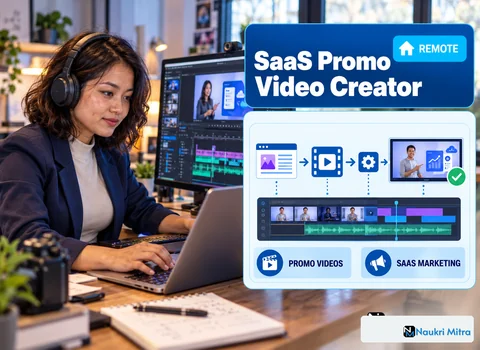
The founder sends a three-minute screen recording with the subject line "new feature, can you make this pop?" The cursor wanders, a notification slides in at 0:41, the browser has eleven tabs open, and the actual feature, a filter that turns a cluttered revenue dashboard into one clean chart, appears for about four seconds near the end. Nobody outside the product team would understand it. Turning that into a 45-second launch video that shows one problem and one click is the job here. This is one of the online SaaS promo video creator jobs listed on Naukri Mitra: part-time, home-based, open in every country, at USD 30 per hour.
The SaaS promo video creator job description in this listing is short. You record product walkthroughs in Screen Studio, animate UI screens exported from Figma in After Effects, edit demo and launch videos with music and captions, write or refine short scripts, and deliver versions for websites, ads and social launches. Below, one launch video is followed from brief to render, since a single project explains the role more clearly than any bullet list could.
Before opening any software, pin down the one sentence the viewer should remember. For the dashboard example: "See which plan is losing money in one click." The export button, the dark mode toggle and the new sidebar in the founder's recording get cut or saved for another video. Ask where it will run, too. A homepage hero loop and a paid social ad want different lengths and opening frames.
Forty-five seconds is roughly 100 to 110 spoken words, fewer if the video runs on captions alone. Three seconds of pain (a messy table, a frustrated scroll), the single click, then the result held long enough to read. Storyboard it as six to eight thumbnail frames with a note under each about the camera move. The client signs off on that board, which saves hours of rework.
Re-record the feature yourself. Use a fresh browser profile, hide bookmarks, turn on do-not-disturb, and load a demo account with believable sample data. Capture at the highest resolution your display allows, ideally 2x Retina or 4K, so you have room to punch in. Screen Studio's auto zoom and cursor smoothing give you a first draft; often you switch auto-zoom off on the final take and place zooms by hand in After Effects so they land on the music.
Ask early for brand assets: SVG logo, hex colors, font files and any motion guidelines. Missing fonts are a common reason for redoing a render.
A screen recording tends to look soft once you scale it much past 150 percent. So rebuild what the camera moves close to. If the product team has Figma files, copy the dashboard card and the filter dropdown, flatten anything static, and export layers as SVG. With no design file, trace the elements from a screenshot. A rebuilt vector dropdown stays sharp even at 400 percent, so close-ups hold up on large screens.
Core SaaS promo video creator skills show up most clearly here:
Pick 30 or 60 fps for the channel and keep it consistent from capture to export, or cursor moves will stutter.
Bring the comps into Premiere Pro through Dynamic Link or as ProRes renders and cut to the beat, landing the click on a downbeat. Use a licensed track the client approves. A soft tick on the click and a quiet whoosh under a zoom, around -18 to -24 dB under the music, add polish. Burn in captions for social cuts, since many people watch muted, and keep lines short (around 32 characters is a common guide) so they don't cover the interface.
One launch usually needs 16:9 for the website, 1:1 for LinkedIn feeds and 9:16 for Reels, Shorts and story ads. If the hero element sits center and callouts stay inside a safe zone, the vertical crop takes minutes instead of a rebuild.
Share a low-res review link with timecoded comments. Agree on revision rounds up front; two is a common number. If the founder asks to add one more feature, point back to the single message. Final exports are typically H.264 MP4, plus a ProRes master on request, with clear names such as dashboard-filter_launch_9x16_v3.mp4.
Degrees don't come into it, but a reel of SaaS or product videos does. Keep it to 60 to 90 seconds, open with your strongest UI zoom, and include one before-and-after: the raw recording beside your finished cut.
That makes this a realistic option among SaaS promo video creator jobs for freshers. Here is one route showing how to become a SaaS promo video creator: pick an app you use, record a feature, rebuild it in Figma and produce a concept launch video, labeled as a personal project. Two or three of those make a credible reel, even if you have no client experience yet. Your SaaS promo video creator resume can be short: tools, reel link, one line per project naming the problem each video explained.
There is no single SaaS promo video creator course or SaaS promo video creator certification that clients ask for. Adobe's own After Effects tutorials, free motion design channels and paid UI animation courses all help, but the reel is what gets judged.
After Effects with 4K captures, vector UI layers and motion blur will crawl on a basic laptop. Aim for a recent multi-core processor, 32 GB of RAM or more, a dedicated GPU and a fast SSD for cache. A high-resolution display also makes your recordings sharper from the start. Screen Studio has been a macOS-only app, so check its current system requirements against your setup before relying on it.
This SaaS promo video creator work from home role pays USD 30 per hour, part-time, with no location restriction. That is the SaaS promo video creator salary per hour the listing states, and it is the only figure given; weekly hours and project volume are not specified, so confirm them before starting. Rates on part time SaaS promo video creator jobs elsewhere, and on freelance SaaS promo video creator jobs through Upwork, Contra or Fiverr, are set by each client and freelancer and vary with reel quality. Work tends to cluster around product release cycles.
Update your reel, add a two-line note on the products you have worked on (analytics, CRM, developer tools), and list your software. Common SaaS promo video creator interview questions include "How would you show a feature with no visual change?" and "Walk us through the easing on this zoom."
No fee applies to applications sent through Naukri Mitra, and anyone asking you for money up front is not a real client. Send your reel link, your tools and your availability. Mention your time zone too, so a client can plan review rounds around it.