
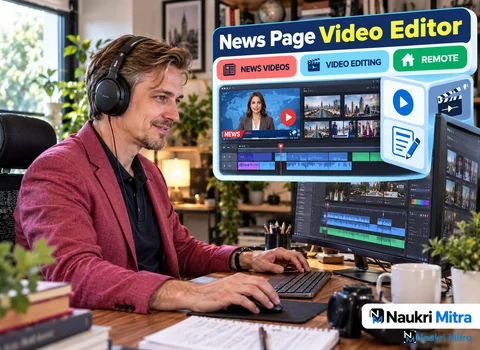
9:02. A raw phone clip lands in the shared folder: a burst water main on a city street, ninety seconds of shaky footage, heavy wind noise, one usable wide shot. 9:04. The editor drops it into Premiere Pro, marks the wide, cuts the shake. 9:07. Captions go on, because plenty of viewers watch with the sound off. 9:09. A lower third with the street name, checked against the reporter's note. 9:11. The producer signs off. 9:12. The clip is live on the page. That ten-minute run is the work in these online news page video editor jobs. Part-time. Fully remote. Open worldwide. Pay is $18 per hour (USD).
This is a desk role. You edit short news clips for a digital news page and its social accounts. Raw footage comes in from reporters, contributors or agency feeds. You cut it down to what matters, add text so it works without sound, and get it out while the story is still moving.
Hours are part-time. You do news page video editor work from home, on your own computer, from any country. The rate is fixed and hourly. Nothing here is priced per clip.
A shift is a loop. Files arrive, you edit, you publish, more files arrive.
Cut. Raw footage is long and messy. A two-minute phone clip might hold fifteen seconds that tell the story. You find those seconds, trim the rest, and keep the order honest so nothing is shown out of context.
Package. Captions, lower thirds, a title card, sometimes a map or a quote graphic. Everything follows the channel's style template: fonts, colours, safe margins, logo position, end card.
Publish. Export in the right aspect ratio, upload, add the caption copy the desk approves, then flag the producer. On a breaking story you may repeat this several times as new footage comes in, each version replacing the last.
The news page video editor job description fits in one line: get the clip right, get it out quickly, and keep it on the house style.
Tools vary by newsroom. Most desks expect one main editor plus a quick design tool. The usual kit:
Hardware matters as much as software. You need a capable computer that plays back HD footage without stutter, and fast internet for pulling raw files and pushing exports. A slow upload can cost you the story.
Editing fast news clips with captions and graphics is the core skill. Captions are not decoration. People scroll with sound off, so the text has to carry the story on its own. Keep lines short, two at most on screen, and time them to speech. Check every name and number against the script or the reporter's notes.
Lower thirds identify people and places. Spell names exactly as the desk confirms them, and use current titles, not last year's.
Graphics cover headline cards, maps, quote cards and simple information panels. Use the template. Do not invent new styles on deadline. A consistent look is how viewers spot the page in a crowded feed.
Speed means nothing if the clip is wrong. Run this list on every export:
If anything is unclear, ask the producer before posting. A held clip beats a correction.
Turnaround on breaking clips is short, often minutes rather than hours, depending on the desk. Explainers and feature clips get more room. Shift timings are set by the page. Because the role is open worldwide, your slot may fall in your evening or early morning if the audience sits in another time zone.
Ask about the schedule early and be honest about the hours you can cover. Being reliably online during the agreed window matters more than piling up hours.
Put plainly, the news page video editor salary here works out to $18 per hour (USD) across whatever part-time hours you cover. That is the whole money detail. Elsewhere in the market you will see per-video rates or monthly retainers. They do not apply here. The news page video editor salary per hour is the listed rate, full stop.
No monthly total is promised, because your hours depend on the schedule agreed with the desk.
The software overlaps. The job does not.
Speed. A YouTube editor often has days for one video. A news editor may have minutes.
Format. YouTube work tends to be longer horizontal video built for watch time. News page clips are short, often vertical or square, and must make sense in the first few seconds.
Standards. A YouTube editor shapes a creator's personality with jump cuts, music and effects. A news editor follows editorial rules on accuracy, context and fairness. You do not lay upbeat music under a serious story, and you never reorder quotes for drama.
Sign-off. YouTube edits usually go back to one creator. News clips pass a producer or editor before going live.
Editors from YouTube can cross over well. They have to slow down on facts while speeding up on cuts.
More people now meet the news in a feed rather than on a homepage. Digital news pages, local news accounts and publisher social teams post vertical clips across short-video platforms through the day, and some bring in remote video editors to cover shifts in other time zones. This listing is one such remote role.
The skill travels. A clip cut for one platform can be re-exported for another with small changes to length, caption position and safe zones.
One or more years of editing fast-paced news or social clips is expected for this listing. Skills in Premiere Pro or CapCut, captions and motion graphics come with that. An Adobe Certified Professional credential is a plus, not a requirement. News page video editor skills are tested in practice, so a short timed edit is common.
News page video editor jobs for freshers do exist, but this one expects one or more years of relevant work. Posts listed as news page video editor jobs no experience are usually trainee roles. If you are early on and searching "how to become news page video editor", the practical answer is this: cut sample clips from your own footage or public-domain material, build a short reel, and take part time news page video editor jobs or freelance news page video editor jobs with small pages and student newsrooms. A news page video editor course or a general Premiere Pro course helps with structure. A news page video editor certification such as the Adobe one adds weight but does not replace a reel.
Keep your news page video editor resume to one page. Put the reel at the top, list your tools, and give two or three real turnaround examples. Typical news page video editor interview questions cover how you handle unverified footage, how you check caption spelling under pressure and what you do when a producer asks for a change after publishing.