
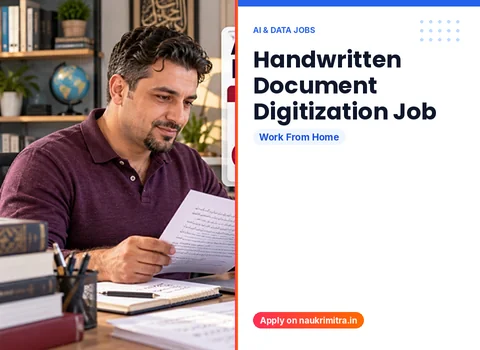
The page is from an old register, ruled in faded blue. The first rows are in a tidy, upright hand; then someone else took over, writing fast and leaning hard to the right. Partway down, a figure in the amount column could be a 3 or an 8, because a thumb once rested on wet ink. The surname beside it ends in either an n or an r, and that one letter decides whose record it is. What gets typed from that page, and what gets marked as unclear instead of guessed, is the real work in online handwritten document digitization jobs.
Each hour pays $15 (USD), you work part-time hours, and the scans can reach you in any country. You receive scanned pages of forms, registers and records, type them into Excel sheets or Google Docs, use OCR where a page is clean, check each entry against the original and mark what you cannot read as the client asks. Batches vary, so hours do too. Nothing here asks for earlier work experience, which makes it one of the more realistic handwritten document digitization jobs for freshers.
Before typing, study the page as a whole. Notice how this writer forms the troublesome letters: a looped l against a plain e, an n and a u that look identical, a 1 with a flag that resembles a 7. Once you know one writer's habits, the rest of their entries get easier.
Older records lean on abbreviations: ditto marks, "Recd" for received, "s/o" or "w/o" in Indian records, initials for first names, and dates like 12/3 that mean different things in different places. The instructions usually say whether to expand them or type them as written. If they say nothing, ask before you start.
A smudged village name may appear clearly three rows down. Context helps you read; it never gives you permission to invent.
Most projects hand you a template. In Excel or Google Sheets that means fixed columns, perhaps date, name, relative's name, address, amount and remarks, kept consistent on every row. Use the one date format the client names. Do not merge cells, add colour or slip notes into a data column; remarks go in the remarks column so the sheet can be sorted later.
Letters, diaries and minutes usually go into Google Docs, where the rules cover line breaks, crossed-out words and words squeezed in above the line.
OCR software turns an image of text into typed characters, and newer tools attempt handwriting too. On a neat page it saves real time: run the page through, place the output and correct it. Use only the tool the client approves, because uploading their pages to any free website may break their privacy rules.
Handwriting is where OCR slips most. It drops faint ink, joins two words, swaps similar letters and digits, and produces text that looks tidy while being wrong. Treat its output as a rough draft to correct line by line, and skip it on pages where fixing its guesses takes longer than typing.
When you finish a page, return to the first row and read the image and your entry side by side. Figures need the most attention: a swapped digit in an amount or a date changes the record while looking normal on screen. Count your rows against the page, so a skipped line is caught before it shifts every later entry.
Clients often set an accuracy target and sample your work against it. Whatever the figure, the protection is the same: slow down on numbers and names, filter the sheet for odd values, and never send a batch you have not read back.
Was it n or r, 3 or 8? If you cannot be sure, you do not choose. You type the marker the instructions give, perhaps [illegible], [unclear] or a bracketed question mark after your best reading. Copy it exactly, because reviewers search for it later.
A wrong guess does more harm than a marked gap. A reviewer can look again at a marked word; nobody goes looking for a wrong name typed with confidence.
Land registers, admission forms, patient files and family papers are personal. Do not take screenshots, save copies outside the client's folder or system, post a difficult page online to ask strangers about a word, or discuss the content with anyone. Work where nobody can read your screen, lock the computer when you step away, and delete local files when told. If you sign a confidentiality agreement, keep to it, and ask when a rule is unclear.
This listing mentions a typing speed of around 30 to 40 WPM as its guide, and accuracy counts as much as the number. A steady typist who rarely needs corrections often produces more usable work per hour than a faster, careless one. Practise on free typing tests using numbers and mixed-case names, since registers are full of them.
A 10th or 12th pass is generally enough. Past that, the job needs you to read varied handwriting, work comfortably in MS Excel or Google Docs, use basic OCR tools and respect confidentiality. The handwritten document digitization skills that matter daily are patience and a sharp eye for small marks.
A computer with stable internet is expected; a phone screen cannot show a scan and a sheet side by side at a readable size. Plan on supplying your own equipment and connection, as with most handwritten document digitization work from home.
The work turns up at archives, libraries and museums converting old collections, genealogy projects, document-processing firms serving banks, hospitals and schools, outsourcing companies handling back-office records, and clients on freelance marketplaces such as Upwork. Freelance handwritten document digitization jobs pay in different ways: hourly, as this one does, or per page or per record, which rewards speed but leaves you short on hard pages.
With no experience, build proof. Many archives run volunteer transcription projects that teach old hands and abbreviations. Type a sample sheet from handwritten notes, with the writer's permission. Expect a test batch when you apply and treat it as your interview.
Ordinary data entry often moves information that is already typed or very clear, such as from a PDF form into a database, and speed is the main measure. Handwritten digitization is closer to reading than copying. You interpret someone's handwriting, decide what a mark means and record your doubts so whoever checks next can see them. Doing it well makes you stronger at both.
Hold on to one rule: genuine digitization work never asks for a registration fee, a security deposit, a training charge or money for special "software". Money flows from the client to you, and only in that direction.
The common trap is the form-filling "job". You pay a joining fee for a promised sum to type scanned forms by a deadline. The forms are hard to read on purpose, the accuracy rules cannot be met, and after you submit you are told you missed the target. Then a "penalty" or fake legal notice demands more money. Other versions sell a typing package or ask for your bank OTP to "release salary".
Walk away from anyone who wants money before work, offers no written terms or promises guaranteed income. If you have paid and are being threatened, stop paying, keep the messages and report it to your local cybercrime authority.
Accurate work can lead to quality-check roles reviewing other people's batches, or to specialising in one kind of record, such as land registers or medical forms, where knowing the vocabulary makes you faster. Archive projects also need people who understand metadata and file naming. None of this is promised, but clean batches and kept confidences are what clients remember when deciding whom to call back for more part time handwritten document digitization jobs.