
The bride's mother typed "Aggarwal" in her WhatsApp message. The groom's cousin, sending the reception details an hour later, wrote "Agarwal". One surname, two spellings, both sides certain. Before a single frame gets built, you message the couple, ask which spelling goes on screen, and wait for a written yes. That small habit sits at the centre of online e-invite video maker jobs: turning names, dates, photos and music into a short invitation a family will forward to hundreds of relatives, with nothing spelt wrong. Editors can be based in any country, the hours are part-time, and each hour of invite work pays $18 (USD).
The e-invite video maker job description, put simply: build wedding, birthday and event invitations from templates or your own animation, add names, dates and photos, set them to music, export phone-ready files, and turn client edits around quickly.
The brief usually arrives as a jumble of voice notes, photos and copied addresses. Sort it into one checklist: names in the agreed spelling, each event with date and time, venue, RSVP line, photos, music and language. Nothing goes to animation until the client has approved names and dates in writing.
An invented order: a three-event invite for Meera and Kunal, with Haldi, Sangeet and the wedding day. The family wants a 45-second vertical video in Hindi and English with marigold colours. You plan five cards: names, one card per event, then the RSVP line. The first draft goes out with a visible watermark. The family asks for the Sangeet time to move from 7 pm to 7:30 pm and for Kunal's grandmother's name to be added to the welcome line. You change both, get approval on version two, and only then hand over clean files.
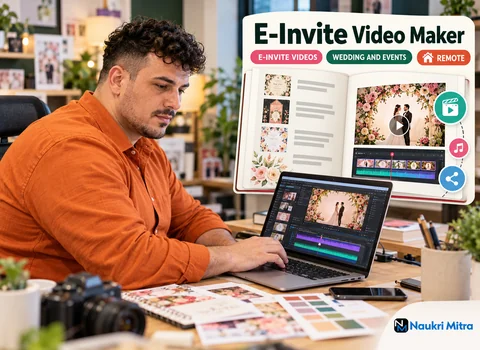
Most simple orders are finished in Canva or CapCut. Canva suits card-style invites where layout matters most: you set the text blocks, choose a palette, animate each element with a gentle rise or fade, and export as MP4. CapCut is stronger when the video needs beat-matched cuts, photo zooms or transitions that follow the song. Many editors design the cards in Canva, export them as stills, and assemble them in CapCut against the track. Keep your own template folder, but vary colours and layout so each family gets something that feels made for them.
KineMaster is a phone-friendly editor with layers, keyframes and chroma key, which makes it handy when you are working from a smartphone. After Effects is where custom animation lives: falling petals, a monogram that draws itself, names that fold out of a mandala. It asks more of your computer, so save it for clients who have agreed to a custom build.
Timing is where an invite feels either polished or clumsy. Mark the beats in your timeline, land each name or date on a strong beat, and hold each line long enough for an older relative to read it twice.
Use only music you are allowed to use: tracks from a licensed stock library, music bundled inside the app under its terms, or a track the client has bought a licence for. Do not rip a film song from a streaming site, and never drop copyrighted film clips or dialogue into an invite. Licence terms differ, so read them and note each track's source in the project folder.
Families often want Devanagari, Gujarati, Tamil or Bengali alongside English. Check that your font supports the script. Some mobile editors break conjunct characters, so preview every line at full size, and if an app mangles the text, set it elsewhere and import it as an image. Fonts need licences too. Google Fonts are released under open licences that allow commercial use, while many decorative fonts sold online are personal-use only unless you buy a commercial licence. Ask a native reader to check any language you do not read yourself.
Most invites travel on WhatsApp, so build for a phone screen first. A vertical 9:16 frame at 1080 by 1920 works for Status, Reels and Stories, and a square 1080 by 1080 version suits feed posts. Export MP4 (H.264) and keep text away from the edges where app buttons sit. WhatsApp compresses videos sent in chat, so offer the family a higher-quality copy they can send as a document. Status has a length limit, so a short teaser cut is worth delivering alongside the full version.
A typical week mixes new briefs, first drafts and revision rounds. Much of your time goes on small changes: a time, a spelling, a swapped photo. Wedding season brings tighter deadlines; quieter months are normal. Hours depend on what the employer has available, so treat no week as fixed.
For e-invite video maker work from home you need a laptop or a capable smartphone and good broadband, with a mobile hotspot as backup. As a rough guide, a laptop with 8 GB of RAM handles Canva and CapCut, while After Effects is far happier with 16 GB and a dedicated graphics card; a recent mid-range phone copes well with CapCut and KineMaster. Work in a quiet, well-lit space, keep cloud files with version names such as meera-kunal-v2, and treat every family's names, photos, addresses and numbers as confidential, kept inside approved platforms.
No degree is needed. A showreel of invitation or short videos is what counts, which makes this one of the friendlier e-invite video maker jobs for freshers. Build a 60 to 90 second reel from three or four invented invites in different styles, using placeholder names.
Your e-invite video maker resume can be one page: the tools you use, the scripts you can typeset, your usual turnaround, and a link to the reel. A short e-invite video maker course or general editing course is a plus, but no e-invite video maker certification is required. Expect a design test: a short brief to complete in a set time. Typical e-invite video maker interview questions: how you handle a date change after approval, and where your music comes from. The e-invite video maker skills that matter are clean typography, timing and proofreading.
A printed card designer works on bleed, print colours and press deadlines; video invites are about motion, sound and phone formats. Which earns more depends on the market, the client and the volume of work, so neither is a sure winner. Plenty of designers offer both.
Here the e-invite video maker salary per hour comes to $18 (USD). Elsewhere, people who take freelance e-invite video maker jobs often charge per video, and some sell editable templates on marketplaces such as Etsy or Fiverr, following each site's rules on fonts and music. First orders often come from Instagram: post your reel and reply to enquiries promptly. Whether it grows into a profitable home business depends on steady demand, fair pricing and repeat referrals. Growth paths include motion design, event branding and leading a small invite studio.
On the professional side, keep all payments on the employer's platform and never sell your own services to clients on the side.
For part time e-invite video maker jobs like this one, send your showreel link, a one-page resume and your usual turnaround for a draft. Applying is free, and nobody legitimate will ask you to pay to be considered. If your invites already make families smile when they read their own names spelt right, send them in.