
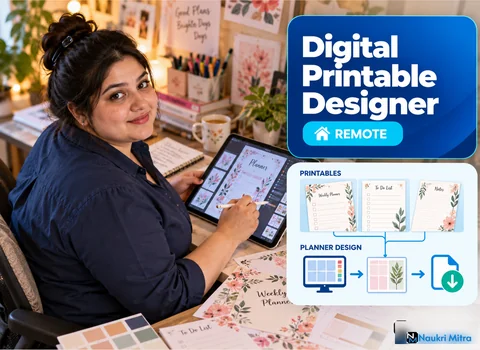
The page comes out of a home inkjet with the Sunday column sliced in half and the word "Notes" pressed right up against the paper's edge. The file looked perfect on screen. Nobody set a safe margin, nobody added bleed, and nobody remembered that many desktop printers cannot print edge to edge. Catching that before any buyer presses print is the main task in the online digital printable designer jobs in this listing. The rate is $25 per hour (USD) for part-time hours, and you can take it on from home in any country.
The digital printable designer job description here covers four product families: digital planners, worksheets, wall art and editable templates. You build them in Canva, Affinity Designer or Illustrator, set page sizes and print resolution, export clean PDF and PNG files, and make listing mockups for the client's Etsy shop or own store. The client owns the shop; you own the files being right.
A printed planner is a run of daily, weekly and monthly pages that has to feel like one family: same grid, same type scale, same line weights. Writing lines need sensible spacing for real handwriting, and checkboxes have to be big enough to tick with a pen.
Some clients also want a version for tablets. That usually means a hyperlinked PDF, where tabs down the side jump to each month and a date on the calendar opens its daily page. The detail work is in the links themselves: every tab must land on the right page, and a broken one is the first thing a buyer notices.
Teachers, tutors and homeschooling parents buy worksheets, and they print them on whatever machine is nearby, often in black and white. So design in greyscale first and add colour only if it survives a cheap copy. Thin pale lines vanish.
Leave answer spaces wide enough for a child's handwriting, keep instructions short, and put a small title and page number where they will not get clipped. A worksheet bundle often has an answer key, which has to match the student pages exactly, so check them side by side before export.
Wall art printables are sold as a set of files, because buyers own frames in different shapes. A typical pack covers several aspect ratios, for example 2:3, 3:4, 4:5, 11:14 and the ISO ratio used for A-series paper. One design rarely fits all of them untouched. You recompose for each ratio, nudging the subject and the lettering so nothing important ends up near an edge that a mat or frame lip will cover.
Export each ratio at a size large enough for the biggest print it is meant for, and name the files so a buyer knows instantly which one fits their frame.
Editable templates, such as meal planners, invitations or budget sheets, are a different job. Someone else will type into your layout, so you plan for long names, extra lines and the buyer who picks an odd font. Lock the background elements, group what belongs together, and leave clear text boxes with room to grow. In Canva, the buyer's experience depends on how tidy your layers are.
Most printable products ship in two page sizes: US Letter (8.5 x 11 inches) for North American buyers and A4 (210 x 297 mm) for most other countries. They are close but not the same shape, so a layout simply scaled from one to the other often looks cramped. Build each size properly.
For print, the common guideline is 300 pixels per inch at final size. Then deal with the edges:
Print a test page on an ordinary home printer whenever you can.
PDF is the default for planners and worksheets, because it keeps the page size fixed and embeds the fonts. PNG suits wall art and single images, and sometimes JPG for smaller downloads. Check every export: fonts embedded, links working in hyperlinked PDFs, page order right, file sizes reasonable for a digital download. Add a short page telling buyers to print at actual size.
Then come the listing mockups. These are the images a shopper sees first: the planner on a desk, the print framed on a wall. Good mockups show true colours and proportions and make it obvious the buyer receives a digital file, not a physical item.
Canva is fast for templates and many sellers already use it. Affinity Designer and Illustrator give finer control over vectors, grids, print settings and bleed. You do not need all three, but you should be able to show solid work in at least one and explain your print setup.
No degree is needed for this role, and self-taught designers are welcome. Without a degree, how to become a digital printable designer usually comes down to online tutorials, a short digital printable designer course on layout or typography, and plenty of practice files. No digital printable designer certification is required. A portfolio of planners or worksheets that print correctly proves your digital printable designer skills better than any paper. Software subscriptions come out of your earnings.
Etsy is one well-known marketplace where printables are sold, and Fiverr is one place where sellers post or search for design gigs. Many freelance digital printable designer jobs come from shop owners who want a planner refreshed or a worksheet bundle extended. On digital printable designer salary, this role sets $25 per hour; the number of hours follows client demand and is never guaranteed.
Starting out for Etsy sellers, build three or four sample products that show the full process: correct sizes, a clean PDF, a wall art ratio set and a few mockups. That is also the best answer to digital printable designer jobs for freshers, since samples stand in for a work history. Platform rules, fees and AI-content disclosure requirements shift, so rely on each site's own help pages today, not old advice.
Selling a printable is commercial use, and that changes what you can put in it. Fonts and clip art need a commercial licence that covers digital products for resale; a free personal-use font is not enough. Canva elements and templates have their own licence terms, and those terms can differ for templates that buyers will edit, so read them for the plan the client is on. The same goes for mockup scenes and any AI image tools: what you may sell rests on that tool's terms and your plan as they stand today, never on an assumption. Keep a simple record of where every asset came from.
A printable designer sells files. The buyer downloads and prints at home or at a local shop, so your concerns are page size, margins and export settings. A print-on-demand designer creates artwork that a third party prints onto shirts, mugs or posters and ships, so the concerns move to product templates, print areas, transparent backgrounds and colour on fabric. The skills overlap, but the file preparation is quite different.
The market is crowded, frankly. Search any planner category and you will find many similar listings, and plenty of shops sell very little. Products that do well tend to solve a specific problem for a specific buyer and are made with care. For a freelancer, the useful angle is that sellers competing on quality need someone who gets margins, sizes and files right, which is why part time digital printable designer jobs such as this one exist. No income level is promised.