
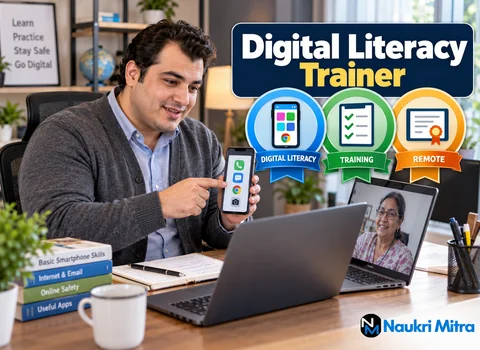
Many people first learned to use a phone app from a grandchild or a neighbour, standing in a doorway, in a hurry, with someone else's thumb doing the tapping. They learned which button to press but never why. Among online digital literacy trainer jobs, this one is about slowing that lesson down and filling in the gaps. You teach adults, many of them seniors or first-time users, to use a smartphone, pay safely with UPI, send an email and reach government services online, one patient step at a time, over a video call.
This is a part-time, fully remote position open to applicants anywhere in the world, paid at $15 per hour (USD). Most learners will be in India, so the content and the examples follow Indian apps, portals and languages.
Every course starts with the phone itself. You explain the home screen, what an app is, how to go back, how to raise the volume and how to answer a video call. For a learner who has always been handed the phone ready to use, this is the foundation.
Put simply, the job description is this: teach learners to use smartphones, make UPI payments safely, send emails and open government portals and DigiLocker, following a PMGDISHA-style curriculum. PMGDISHA, the government's rural digital literacy scheme delivered through Common Service Centres, set out a syllabus covering device basics, the internet, communication and digital payments. You demonstrate each step live, then you stop and watch the learner repeat it on their own phone.
Payments are where many learners are nervous, and with reason. You show how to scan a QR code, check the name that appears before paying, enter an amount and read the confirmation screen. You also teach the rules that protect them. Receiving money never needs a UPI PIN; it is typed only when you are paying someone. No bank, shop or government office will ever ask for it on a call. If a stranger says "enter your PIN to get your refund", that is a fraud.
You never ask for a learner's PIN or OTP, not even during a demonstration. When you show a payment, use your own account with a small amount, or practice screenshots, and ask the learner to cover their screen whenever they type a PIN.
Next comes email: creating an account, writing a subject line, attaching a photo of a document and finding a reply in the inbox. It includes a gentle talk about choosing a password they can remember and keeping it private. Google Workspace tools help here too. Gmail, Google Drive and Google Meet are familiar to many Indian users, and you may use Google Forms for a short quiz at the end of a module.
Learners often want one practical thing: downloading an Aadhaar-linked document, checking an application status or keeping certificates safe in DigiLocker. You walk them through signing in, spotting the official website address and recognising fake look-alike sites. You explain, and do not perform, each step that needs their personal details, so their data stays on their own device.
Comfort with beginners and seniors is the main requirement for this work. Older learners may need larger text, slower speech and the same step shown three times. Praise small wins, use their own phone settings rather than yours and end each class with one thing they did alone. These are the digital literacy trainer skills that matter more than any certificate: patience, clear words and noticing when someone has gone quiet because they are lost.
You should speak a regional language besides Hindi or English, such as Tamil, Bengali, Marathi, Telugu or Odia. Learners relax when "send" and "back" are explained in their home language.
Your home setup should include a laptop for online classes, a smartphone of your own for demonstrations, a webcam or a second device to show your phone screen, and a steady broadband connection with phone data ready if the line fails. Teach from a quiet room. Keep learner names, phone numbers and attendance sheets private, store them only where the employer asks and never share screenshots that show a learner's details.
Take a retired schoolteacher of sixty-eight who wants to pay her milk vendor by UPI. You open the call, check she can hear you and ask her to show her home screen. You find the payment app and open the scanner together. Then you share a practice QR code on your screen and let her scan it without paying. Together you read the name that appears.
Next, you explain that the PIN is hers alone and you look away while she sets one up with her bank's steps. She sends one rupee to her daughter, who is sitting beside her. You ask her to repeat the whole thing from the start, without help. She does it slowly but correctly, and you note in your session log that she is ready for the email module.
Part time digital literacy trainer jobs usually run on a schedule of booked sessions. A typical week might hold a few batch classes, one or two one-to-one catch-up calls, time to prepare slides and practice sheets, and short progress notes for the coordinator. Hours depend on the employer's batches and are not fixed.
For this part-time post, the digital literacy trainer salary per hour comes to $15 (USD). Extra payment for finished batches or learners who earn a certificate is up to the employer, and this post does not promise it. Freelance digital literacy trainer jobs elsewhere may pay differently, so always confirm the rate in writing before a batch starts.
NGOs, company CSR programmes, Common Service Centre networks and edtech platforms usually hire for this teaching; check official websites for current openings.
Graduation is preferred but not required. The NIELIT CCC, short for Course on Computer Concepts, is a plus. It is a basic computer-concepts course that covers computer and operating system basics, office tools such as word processing and spreadsheets, the internet, email and digital financial services. Treat it as a useful digital literacy trainer certification rather than a teaching licence.
Digital literacy trainer jobs for freshers are realistic if you can show that you teach well. Record a ten-minute demo class on one topic, such as setting up DigiLocker, in your regional language. Your digital literacy trainer resume should list the languages you speak, any volunteer teaching with family or community groups, the CCC if you hold it and the devices and apps you know. In digital literacy trainer interview questions, expect to be asked how you would calm a nervous learner and how you check that someone has really learned a step.
A computer teacher usually works in a school or institute with a set syllabus, exams and students who already use a keyboard. Digital literacy trainer work from home is more practical and closer to daily life. Success is measured by what learners can do the next morning, not by a test score.
As more services move to phones, people who can explain them gently will keep finding work, though demand varies with programme funding and region. Later you could lead trainer teams or write course modules in your language.
To apply, send a short note about the learners you have taught, the languages you speak and whether you hold the CCC, along with a link to your demo class. There is no fee at any stage.