
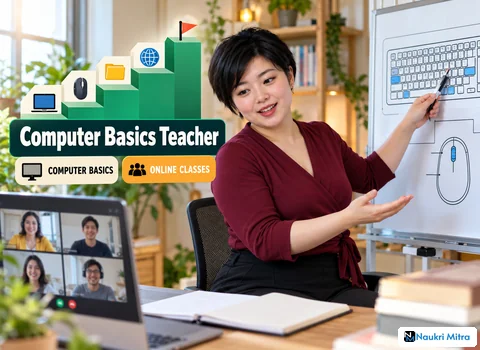
Right-click the desktop, you tell Mrs. Fernandes, and nothing happens, because her hand is flat on the mouse and she is pressing the whole thing down like a stapler. So you slow right down. "Look at the mouse. There are two buttons on top. Rest your first finger on the left one and your middle finger on the right one. Now press only the right one, gently, once." A small menu appears on her screen, which you can see because she is sharing it with you. She laughs. That laugh is the job, and this listing is one of those online computer basics teacher jobs where you take adults who have never used a computer and walk them, click by click, towards Word, Excel, email and the safe use of the internet.
The work is live teaching over video, done part-time from wherever you are. Your learners are beginners, so a lesson is less about lecturing and more about guided doing. You show a task on your screen, they try it on theirs, and you watch and correct. The responsibilities for this role are clear: teach MS Word, Excel, PowerPoint, email and safe internet use in live online classes, demonstrate tasks through screen sharing, run typing practice drills, set simple assignments and track each learner's progress.
That is the full computer basics teacher job description as this listing gives it: the core of the role is the teaching itself.
For a first-time user, MS Office can look like a cockpit. Make it feel smaller: a few tools used often. In Word, that might mean typing a short letter, changing the font size, making a heading bold and saving the file in a folder they can find again tomorrow.
Excel starts with the idea of rows, columns and a cell. Typing into cells and adding a simple total is a solid base. PowerPoint can be the most fun: a title slide, a picture, a few bullet points and the moment they press the slideshow button and see their own work full screen.
Email is where a computer becomes useful in daily life, and it is also where new users can get hurt. Teach the mechanics first: reading, replying and attaching a file. Then move to safety.
Explain that a strong password is long and not shared, and that an OTP is a one-time code meant only for the person who requested it. Nobody from a bank or a delivery company needs your OTP. Show them what a phishing email looks like: urgent tone, a strange sender address, a link that does not match the name it claims. A learner who leaves your class knowing never to read out an OTP on a phone call has learned something worth more than any formula in Excel.
Confidence on Zoom or Google Meet is part of the qualifications. You will spend much of each lesson sharing your screen to demonstrate, then asking the learner to share theirs so you can see exactly where they are stuck. Your first session may simply be about finding the mute button and the share screen option.
Some habits help a great deal. Move the mouse slowly and say what you are doing out loud. When the learner shares their screen, describe what you see before you give the next instruction: "I can see the blue Word icon at the bottom. Click it once." These are the computer basics teacher skills that matter more than knowing every menu by heart.
Typing practice is a quiet but important part of the role. Short, regular drills help learners who hunt for each key. Start with home row keys, move to simple words, then full sentences. Accuracy first, speed later.
After each class, set a simple assignment: type a short note about their family, make a three-column list in Excel, or send you an email with a photo attached. Then track each learner's progress. A simple note of what each person can do and what they found hard helps you plan the next lesson.
This listing names two certifications as a plus, not a requirement. NIELIT CCC is the Course on Computer Concepts offered by the National Institute of Electronics and Information Technology in India, a basic computer literacy course that covers everyday computer use, office applications and the internet. Microsoft Office Specialist (MOS) is Microsoft's certification for individual Office applications such as Word, Excel and PowerPoint, earned by passing an exam.
Either one tells an employer you know the material properly. For anyone asking how to become a computer basics teacher without a teaching background, holding a recognised computer basics teacher certification like these is a sensible step, though the role itself does not demand it.
The firm requirements are a graduate degree and strong MS Office and internet skills. No particular subject or years of experience are named, which makes it a reasonable option to consider among computer basics teacher jobs for freshers who are graduates and comfortable with Office.
The softer requirement is just as real: you should explain concepts patiently to beginners. That means repeating a step calmly as often as needed and noticing when someone is too embarrassed to say they are lost.
Three things are required: a laptop, a headset, and broadband that does not drop mid-lesson. Your voice carries every instruction, so a headset that cuts echo and background noise makes you far easier to follow. A frozen screen mid-demonstration breaks a beginner's focus, so stable internet matters too.
Before the first class, test sharing your screen on both Zoom and Google Meet and keep the windows you need open.
Teaching hours are part-time and paid at $15 per hour (USD), and location is no barrier. That is the computer basics teacher salary per hour stated in this listing; no other pay, incentive or bonus is mentioned. As a pre-tax example only, six teaching hours in a week would earn $90. Your actual earnings depend on the hours you teach.
People looking for computer basics teacher work from home also come across tutor marketplaces such as Superprof, where tutors create a profile and set their own rates, and edtech companies that run live classes. Those are only examples of where this kind of work appears. Superprof and edtech firms are not the ones advertising this role. To start, people searching for part time computer basics teacher jobs or freelance computer basics teacher jobs can prepare a short computer basics teacher resume listing their degree, Office skills and any certification, then practise a sample lesson with screen sharing.
The two titles overlap. A computer basics teacher usually focuses on the core tools: Office, email, typing and safe browsing. A digital literacy trainer works more broadly, often in community programmes, covering wider everyday digital tasks. This role leans towards the teacher side.
Demand comes from people who missed out on computers earlier in life: older adults, people returning to work, small shop owners and job seekers. For a senior learner, a live, patient teacher who answers questions can be easier to follow than a recorded video.
A genuine teaching job pays you. If anyone offering this kind of role asks you to pay for a teacher kit, a certification you must buy from them, or an onboarding fee before your first class, stop and do not pay. Be wary too of anyone asking for your own OTP to "verify" you. You will spend your classes teaching learners to refuse exactly that request, so hold yourself to the same rule.