
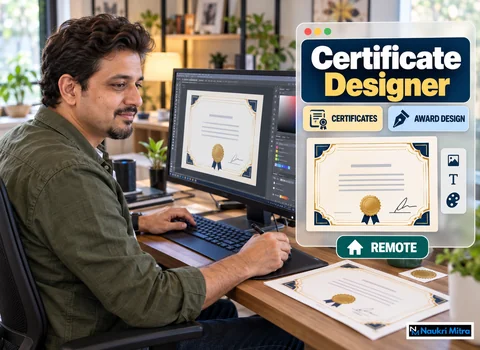
Picture a school that orders 640 prize certificates for its annual day. The template looks fine, but its merge field is named "Studnet Name", the spreadsheet column says "Student Name", the two never match, and nobody prints a single proof. Every one of the 640 sheets comes back from the press reading "Studnet Name" in gold. The lesson is simple: certificates are variable data first and decoration second, and you proof the data before you admire the border. That is the spirit of these online certificate designer jobs. You can work part-time from any country.
Each hour is paid at $18 (USD). Hours follow incoming orders, with no fixed weekly number, and incentives are paid only if the employer chooses to offer them. Your work: lay out certificates in CorelDRAW, Illustrator or Canva, place logos, seals and signatures, build editable name fields for bulk printing, and hand over print-ready and digital files. That is the certificate designer job description in one breath; the rest is detail.
A heavy guilloche border too close to the trim looks like a printing accident, so keep a safe zone of at least 10 to 12 mm inside the trim for all text and keep the border itself clear of where the cutter might drift. If the border bleeds off the page, extend it about 3 mm past the trim and ask the printer for their exact bleed figure, because shops differ.
Then the type. One display face for the title, one quiet serif or sans for body lines, and a script only where it earns its place, usually the recipient's name. Check the optical centre too: a crest pulls the eye up, so the name often sits slightly above the true middle.
Most orders arrive as a list, not a single name. In CorelDRAW, Print Merge lets you create merge fields or import them from a text, CSV or spreadsheet file, place each field on the page, and then print or export one certificate per record. In Canva, Bulk Create (a paid Canva feature) takes a CSV or data you type into a table, lets you connect each column to a text element, and generates a separate page for every row. Illustrator does it through its Variables panel, more fiddly but workable.
Good habits: clean the spreadsheet first (trailing spaces, capital letters, initials with or without full stops), test the longest name in the list, and send the client a proof page with three real records before you generate the full run.
An invented coding academy needs 180 course completion certificates in landscape A4. The sheet has four columns: name, course title, completion date and certificate number. You build the layout in CorelDRAW, set the name field in a script face at 30 pt, and find that "Venkatanarasimha Raghavendran" overflows. So you set a maximum text width and allow the field to drop to 24 pt for long names. After a three-record proof is approved, you export one 180-page print PDF plus individual named PDFs for email.
Signatures should be supplied by the client as scans on white, at least 300 dpi, which you clean up and save as transparent PNG or vector. Seals and logos belong in vector form wherever possible, so ask for SVG, AI, CDR or EPS before accepting a blurry JPEG. Only use a signature or seal that the client confirms it has the right to use, and keep those files in a private folder, never in a public template.
A4 is 210 × 297 mm and US Letter is 8.5 × 11 inches, roughly 216 × 279 mm. Letter is wider and shorter, so a border built for A4 will not simply scale across. Ask the client where they will print before you open a file. If they need both, design on A4 with generous margins, then build a separate Letter artboard and adjust the border and spacing by hand.
The print file is usually a PDF in CMYK with bleed, crop marks if the printer wants them, and fonts embedded or outlined. Discuss gold early: foil or a spot colour needs its own setup. The digital version is an RGB PDF or PNG sized for screens and email, small enough to download quickly. Tie both exports to one master file so a late correction is made once.
Expect a mix of small and large briefs. You read briefs, clarify paper size and quantity, send a first draft, take one or two revision rounds, run the merge, and deliver against a deadline that is often tied to a ceremony date. Flag any delay early.
No degree is needed. You need working skill in CorelDRAW, Illustrator or Canva, a good eye for borders, typography and layout, and real knowledge of A4 print setup. These are the core certificate designer skills, and without formal study the honest route is practice plus a portfolio. A short certificate designer course, or a certificate designer certification from a training site, can speed things up, but clients look at samples, not certificates about certificates.
At home, plan for a machine that opens your design software without stutter, a screen that is calibrated or at least shows colour the same way each day, broadband that can push a 300-name PDF without failing, and backed-up folders whose file names carry a version (Academy_A4_v3_approved.pdf, not final_final.pdf). Treat every name list as private data: do not share it, and delete it when the job closes if the client asks.
Show six to ten pieces: one award, one course completion, one participation certificate, one merge sample showing three different names, and both A4 and Letter versions of at least one design. A design test is usually one certificate from a short brief; read it twice and show your margins. Typical certificate designer interview questions then cover bleed, long names and merge checks. On your certificate designer resume, list software, print knowledge and any bulk jobs you have handled, with quantities.
Freshers are welcome. Certificate designer jobs for freshers suit anyone who has done careful print work for a college or local shop, and even a complete beginner can win work with a tidy portfolio.
This listing pays $18 per hour (USD). Beyond it, the certificate designer salary per hour on open marketplaces varies widely by country, speed and quality, so treat any figure you read online with care. Freelance certificate designer jobs appear on Fiverr and Upwork, and many designers win repeat orders by approaching schools before prize days, coaching institutes and event organisers with a short sample pack. Part time certificate designer jobs like this one can grow into brand stationery, event identity work or template sales.
Both are print-first. Invitation work is decorative and personal, one design for one event. Certificate work is formal, data-heavy and repeated, and a single misspelt name can cost a whole run. If you enjoy checking lists as much as drawing flourishes, certificates will suit you better.
Refuse any request to copy a real university degree, government document, medical certificate, marksheet or experience letter, or to add a seal or signature the client cannot prove is theirs. That is forgery, however politely it is asked. Step back, too, from anyone charging you to "register" or to buy a kit, a free sample that is secretly the whole prize-day order, a request for your OTP or UPI PIN, a payment above your quote with a plea to return the surplus, and a client who wants the merged print files before paying what was agreed.
No fee is charged to apply. Include your portfolio link, a line naming the software you use, and one merge sample with three invented names. A certificate designer work from home role rewards the careful, so proof your application first.