
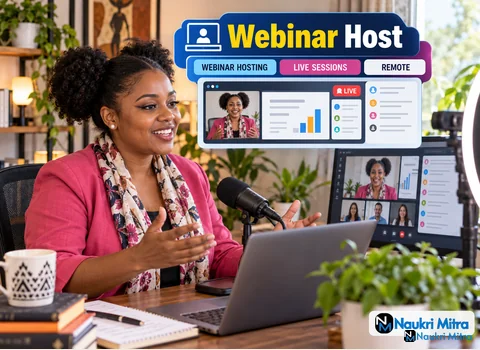
Thirty minutes out: you join the practice session, check that the slides share cleanly and that the speaker's name is spelled right on the lower third. Fifteen minutes out: mic check, camera framing, a sip of water, a quick look at the Q&A settings. Five minutes out: the attendee count starts ticking up and you read your opening line one last time. Live. That routine, run the same way every time, is the real work behind these online webinar host jobs.
Hours are part-time, the job is fully remote, and people in any country may apply. Pay is $12 USD per hour. You host live webinars for a brand's audience, introduce speakers, keep the clock honest, moderate questions and polls in Zoom Webinars or StreamYard, and pass attendee questions to the marketing team when the session ends. It is webinar host work from home in the plainest sense: your desk, your camera, your voice.
In Zoom Webinars, that means using practice session mode so panelists can join, test audio and run through slides before attendees are let in. In StreamYard, it means meeting guests in the backstage area, checking their names and banners, and deciding which layout goes on screen first.
A typical prep checklist looks like this:
You need a laptop, an HD webcam, a good microphone, a quiet space and fast, stable internet. No brand is required.
Put your main light in front of you, not behind, so your face is not a silhouette against a window. Raise the camera to eye level; stacking books under a laptop works fine. A USB or headset mic will usually beat a built-in one. For the connection, a wired ethernet cable is the safest choice when you are the person everyone is listening to. Run a test recording in Zoom or StreamYard and watch it back with headphones; you will hear problems you missed live.
When the session goes live, your first minute sets the tone. Welcome people, say what the session covers, explain where to type questions and mention that a recording may follow if the team has confirmed one. Then introduce the speaker by name, role and why they are worth hearing. Skip the full bio.
While the speaker presents, you are quiet but busy. You watch the clock against the run of show, keep an eye on chat for audio complaints, and queue up the next segment. If the speaker runs long, a friendly chat note at the agreed point does the job. Keeping sessions on time is part of the brief, and attendees notice when a host respects their calendar.
This is where hosting live webinars, moderating Q&A and running polls comes together. In Zoom Webinars, questions arrive in a dedicated Q&A panel where you can answer by text, mark a question to be answered live, or dismiss spam. In StreamYard, viewer comments from connected channels can be shown on screen as a banner, so you pick which ones the audience sees.
Good moderation means grouping similar questions, reading them aloud in plain words, and giving the speaker the clearest version. Launch polls at the moment they fit, not when attendees are mid-thought, and read the results out loud so the poll feels like part of the conversation. Rude or off-topic comments get hidden quietly.
Handling minor technical hiccups is listed in the responsibilities, and it happens more than people expect. A speaker's audio drops. Slides freeze. A guest's connection lags. Your job is to keep talking while the fix happens. Keep a recap line and an early poll ready. In StreamYard, you can pull a guest off screen and bring them back. In Zoom, you can share the slides yourself if you have a copy. Staying calm on camera is one of the most useful webinar host skills, and it improves with every session.
Once you end the broadcast, the work wraps up quickly. Export or copy the questions that came in, especially the ones nobody had time to answer, and send them to the marketing team with brief notes: which topics drew the most interest, any technical issues, any attendee who asked to be contacted. Zoom Webinars offers downloadable Q&A and poll reports. A clear hand-off is what turns a live show into follow-up the brand can act on.
The requirements are short and direct. Confident spoken English and an engaging on-camera presence are essential. Prior hosting, teaching or presenting experience is preferred over a degree, so no formal education is required. You should already know Zoom Webinars or StreamYard, or be able to learn one of them well before your first live slot. Familiarity with a similar tool, such as WebinarJam, helps too, since the skills carry over from one platform to another.
Experience is preferred, but it is not the only way in. If you are a fresher, look at what you have already done: tutoring, leading a club meeting, running a school event, streaming games, recording videos for a class. Those count as presenting. Webinar host jobs for freshers usually come down to proving you can speak clearly on camera and stay composed.
Practise by hosting a mock session with friends on a free plan, recording it, and watching it back. A short webinar host course on presenting or platform basics can help you feel ready, but no webinar host certification or public speaking certificate is required for this role. A short intro video showing how you sound and look on camera matters more than a certificate.
This role pays $12 USD per hour. Some part time webinar host jobs and freelance webinar host jobs elsewhere pay per session instead; this one is hourly. Hours depend on the live schedule the team sets. Because the role is worldwide, sessions may fall outside your local daytime, so confirm time zones before you accept a slot. There is no promise of a set number of hours.
A virtual event producer usually builds the event: registration pages, run of show, speaker coordination and technical setup. A moderator mainly manages questions and chat. A host is the on-camera face who opens, guides and closes the session, and in this role you also moderate Q&A and polls.
Plenty of teams hire remote hosts and moderators, from software firms to training providers, and the ability to run a clear live session is useful in sales, teaching, community work and internal communications.
Send a short intro video in which you welcome an imaginary audience, introduce a pretend speaker and read one question aloud. Keep it simple and show your real setup. Your webinar host resume should list any hosting, teaching, streaming or presenting work, plus the platforms you have used. In a follow-up call, expect to describe how you would handle a speaker who goes silent or a chat full of off-topic messages. Have one honest example ready.