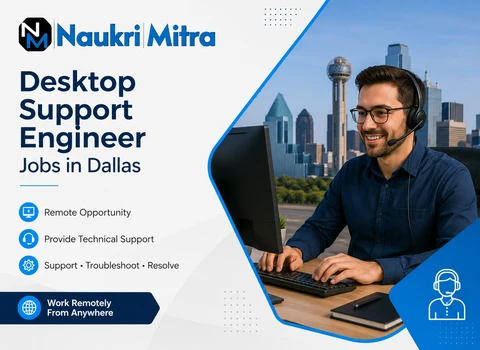
Desktop Support Engineer Careers in Dallas – Real IT Support Work That Keeps Businesses Moving
In most workplaces, nobody really thinks about IT until something breaks. A laptop freezes right before a presentation, Wi-Fi drops in the middle of a client call, or an application suddenly refuses to open without warning. Everything feels fine… until it isn’t.
And in that exact moment, a Desktop Support Engineer quietly steps in.
In a city like Dallas, where businesses run fast, and expectations are even faster, this role isn’t just “tech support.” It’s the difference between a team staying productive and losing half a morning to technical frustration. The yearly pay of around $80,000 reflects that responsibility—because when systems slow down, real work slows down with them.
A Quick Look at the Role
This position sits right at the point where people and technology meet. You’re the first person employees reach out to when something doesn’t feel right with their computer, software, or network connection.
Some days it’s simple—resetting a password, fixing a printer that decided to act stubborn, or helping someone reconnect to a shared drive. Other days, it turns into deeper IT troubleshooting involving system errors, hardware issues, or network glitches that take a bit more digging.
It’s not a background job. It’s a hands-on, always-moving role where your decisions directly shape how smoothly an entire office functions.
The Difference You Make
There’s a quiet kind of impact in this job that doesn’t always get noticed, but it’s felt everywhere.
When a finance team submits reports on time because their system issue was fixed quickly…
When a sales team doesn’t lose momentum because their CRM started working again…
When someone new joins the company and actually feels supported from day one…
That’s you in the background keeping things steady.
Working with Windows operating systems, Active Directory, desktop configurations, and IT service tools, you’re basically helping maintain the invisible structure that keeps work flowing.
Without that stability, even simple tasks become frustrating for everyone else.
What a Normal Workday Actually Feels Like
There isn’t a perfect “typical” day here—and that’s honestly part of the job’s rhythm.
You might start your morning by checking a ticketing system filled with requests that came in overnight. One user can’t log in, another has a software installation issue, and someone else is dealing with slow system performance that needs attention fast.
You jump between remote support tools and hands-on fixes, sometimes walking someone through a solution step by step, other times digging into system settings yourself to figure out what went wrong.
And just when things settle, a new issue pops up. That’s just how IT support works—real-time problem solving, all day.
No two hours really feel the same.
Skills That Actually Matter on the Ground
You don’t need to be a “walking encyclopedia” of IT knowledge, but you do need to be comfortable thinking your way through problems.
Understanding Windows environments, basic networking, hardware troubleshooting, and common IT service management tools will make your day much easier. Experience with ticketing systems and remote desktop support tools also helps you stay organized when things get busy.
But here’s what really stands out in this role: calm thinking.
Because users won’t always explain problems clearly. Systems won’t always behave logically. And not every issue comes with an obvious answer.
Being able to pause, understand, and work through the situation step by step makes a huge difference.
How the Work Environment Moves
Work here follows structure—but not rigidity.
Requests usually come through a ticketing system, which helps prioritize what needs immediate attention versus what can be handled later. That keeps things from turning chaotic, especially when multiple issues arrive at once.
You’ll collaborate with system administrators, network teams, and other IT professionals when needed. But much of the time, you’re handling issues independently from start to finish.
It’s a balance—some structure, some unpredictability, and a lot of real-time decision-making.
Tools You’ll Find Yourself Using
Most of the work revolves around practical, everyday IT systems rather than overly complex or abstract ones.
You’ll work with:
- Ticketing platforms for managing support requests
- Remote desktop tools for assisting users from anywhere
- Active Directory for account and access management
- Windows-based systems for installation, updates, and troubleshooting
- Diagnostic utilities to identify performance or connectivity issues
These tools don’t just support the job—they shape how quickly you can solve real problems.
A Real Moment From the Job
Imagine walking into a situation where several employees suddenly lose access to shared folders right in the middle of their workday.
People start messaging support. Productivity slows down. Stress starts building.
Instead of reacting one request at a time, you step back and look for a pattern. Through system checks and remote diagnostics, you notice a permission sync issue affecting a specific group.
You coordinate with the right team, apply the fix, and gradually restore access.
What seemed like a growing problem becomes resolved within a short span—without causing a bigger disruption.
That kind of moment happens more often than people realize.
Who Fits Well Into This Kind of Work
This role tends to suit people who enjoy figuring things out instead of just following instructions.
If you naturally get curious when something breaks—like wanting to know
why it broke and
how to fix it—you’ll probably enjoy this environment.
It also suits people who don’t mind switching between tasks, helping different users, and adjusting to changing priorities throughout the day.
There’s structure, yes—but also enough variety to keep things interesting.
A Final Word
A Desktop Support Engineer role in Dallas isn’t about being in the spotlight. It’s about keeping everything behind the scenes running smoothly so others can do their work without interruption.
It’s steady, practical, and deeply connected to real business operations.
For someone who enjoys hands-on IT support, real-time problem-solving, and seeing the direct results of their work within minutes rather than months, this kind of role can feel surprisingly rewarding.